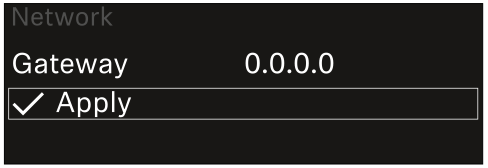
System -> Network menu item
In this menu item, you can configure the settings for the network connection.
To open the Network menu item:
-
In the System menu, navigate to the Network menu item.
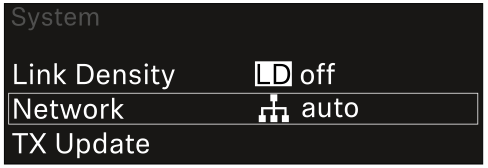
-
Rotate the jog dial to navigate through the Network menu and select the desired menu item.
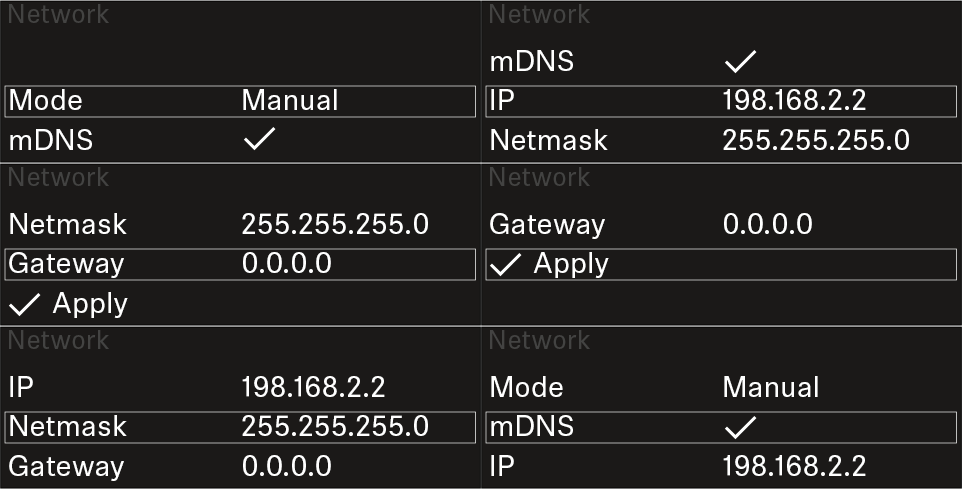
You can make the following settings here:Mode
- Auto: The network configuration is performed automatically.
- Manual: The network configuration can be performed manually.
mDNS
- You can enable or disable this option if you want to use mDNS for automatic device detection in the network.
IP
- If the Mode option is set to Auto, the automatically assigned IP address is displayed here.
- If the Mode option is set to Manual, you can set the IP address here.
Netmask
- If the Mode option is set to Auto, the automatically assigned netmask is displayed here.
- If the Mode option is set to Manual, you can set the netmask here.
Gateway
- If the Mode option is set to Auto, the automatically assigned gateway is displayed here.
- If the Mode option is set to Manual, you can set the gateway here.
To save the settings you have made:
-
Turn the jog dial until Apply appears in the selection frame.