Operation
Positioning the microphone
-
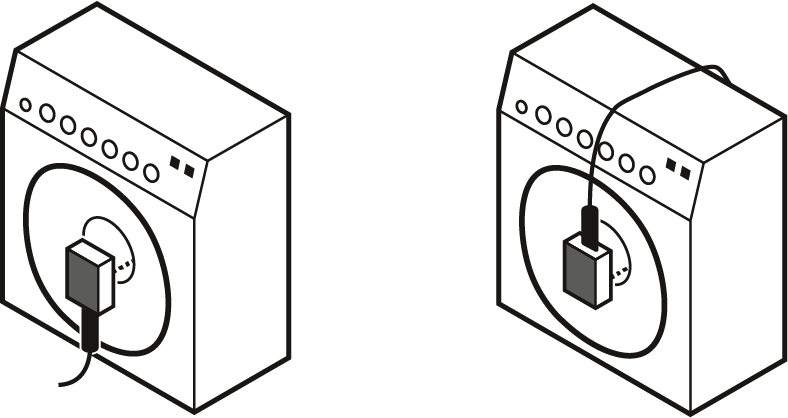
The front must face the loudspeaker.
-
It is vital to observe the following notes:
- Position A: Microphone directed towards the dome of the loudspeaker.
- Resulting sound: many trebles, aggressive sound
- Position B: Microphone directed towards the middle between dome and edge of the loudspeaker. If necessary, turn the microphone by approx. 30° towards the edge.
- less trebles, more lower mids, smoother sound
- balanced, natural sound
- Position C: Microphone directed towards the edge of the loudspeaker.
- Resulting sound: less trebles, more lower mids, smoother sound
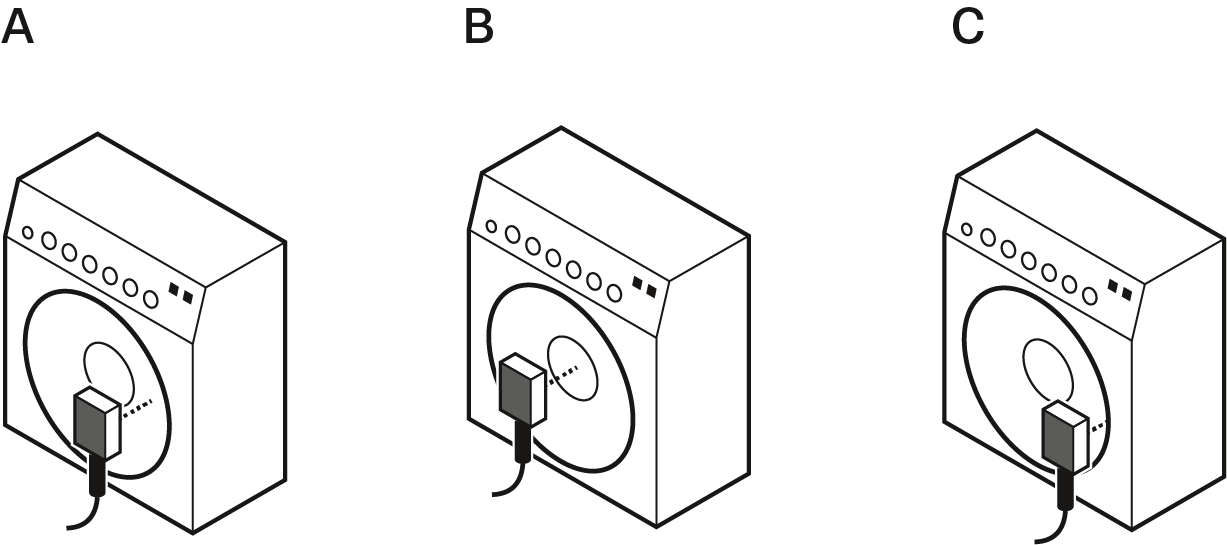
- Position A: Microphone directed towards the dome of the loudspeaker.
Positioning the monitor loudspeakers
-
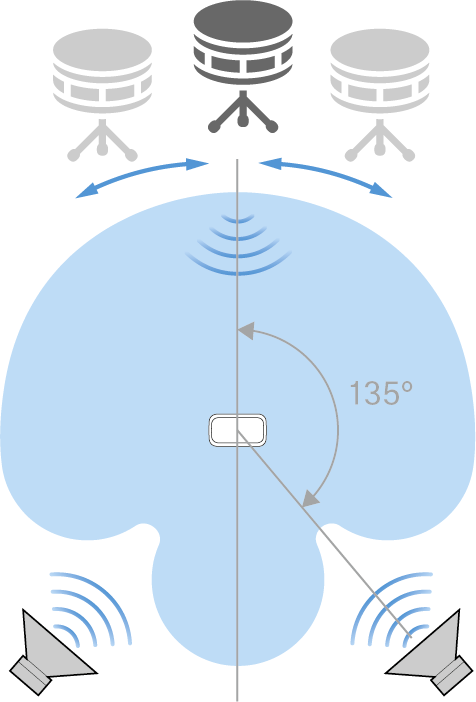
To prevent feedback and crosstalk, postion your monitor loudspeakers in the angle area of the highest cancellation of the microphone (approx. 135°, see
Polar pattern).