Cleaning and maintenance
Note the following information when cleaning and maintaining evolution wired series products.
| NOTICE | |
|---|---|
- Note the special cleaning instructions below for the following products.
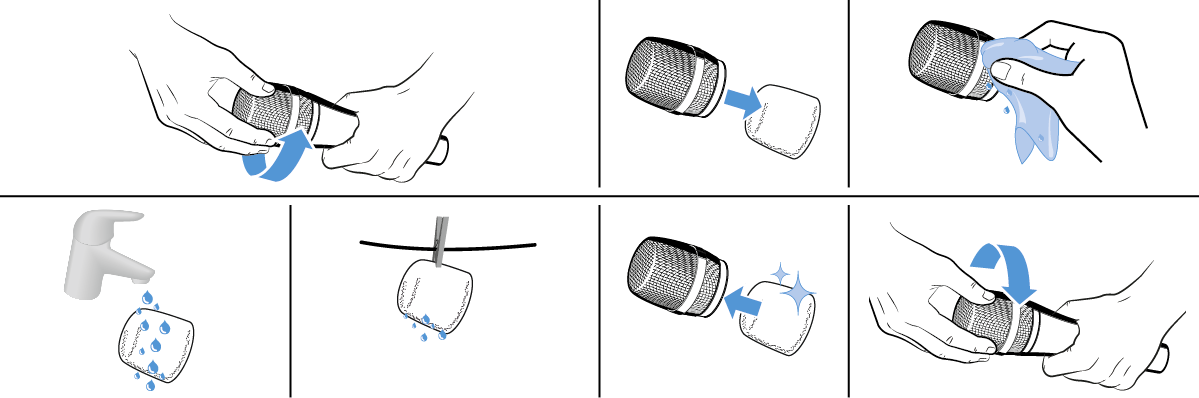
Cleaning the sound inlet basket of the microphone module
Applies to:
- e 602 II
- e 825-S, e 835/e 835-S, e 845/e 845-S, e 865/e 865-S
- e 902, e 935, e 945, e 965
- Unscrew the sound inlet basket.
- Remove the foam insert from the sound inlet basket.
- Use a slightly damp cloth to clean the sound inlet basket from the inside and ouside.
- If necessary, clean the foam insert with a mild detergent or replace the foam insert.
- Dry the foam insert.
- Reinsert the foam insert.
-
Replace the sound inlet basket on the microphone head and screw it tight.