Switching the EKP AVX on or off
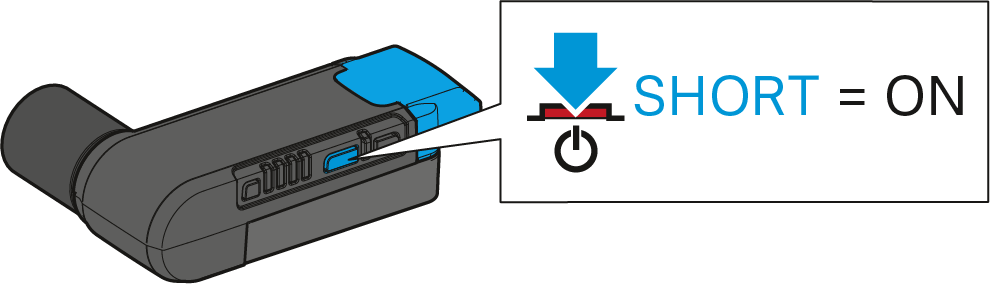
To manually switch the receiver on:
If the receiver is connected to an XLR-3 audio input with P48 phantom power, the receiver is automatically switched on together with the video camera – provided that the phantom power is automatically switched on together with the camera.
-
Short-press the On/Off/Check button.
The status LED indicates the current status of the receiver (see Status LED). The radio link to the last paired transmitter is established automatically as soon as the paired transmitter is switched on.
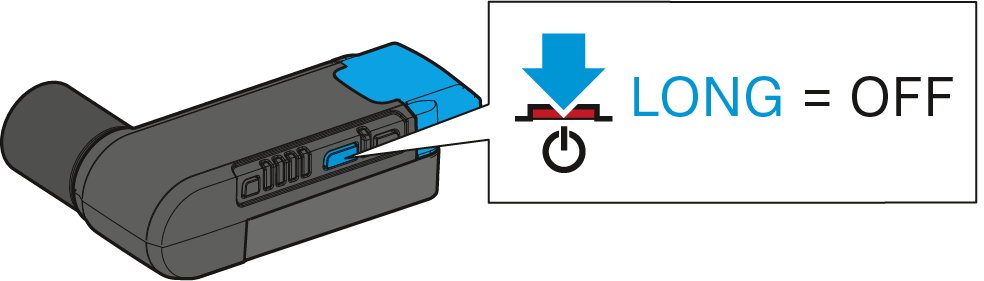
To manually switch the receiver off:
If the receiver is connected to an XLR-3 audio input with P48 phantom power, the receiver is automatically switched off together with the video camera – provided that the phantom power is automatically switched off together with the camera. If, after switch-off of the video camera, the phantom power drops only slowly, the receiver can take up to one minute to switch off.
-
Long-press the On/Off/Check button.
The status LED goes off.