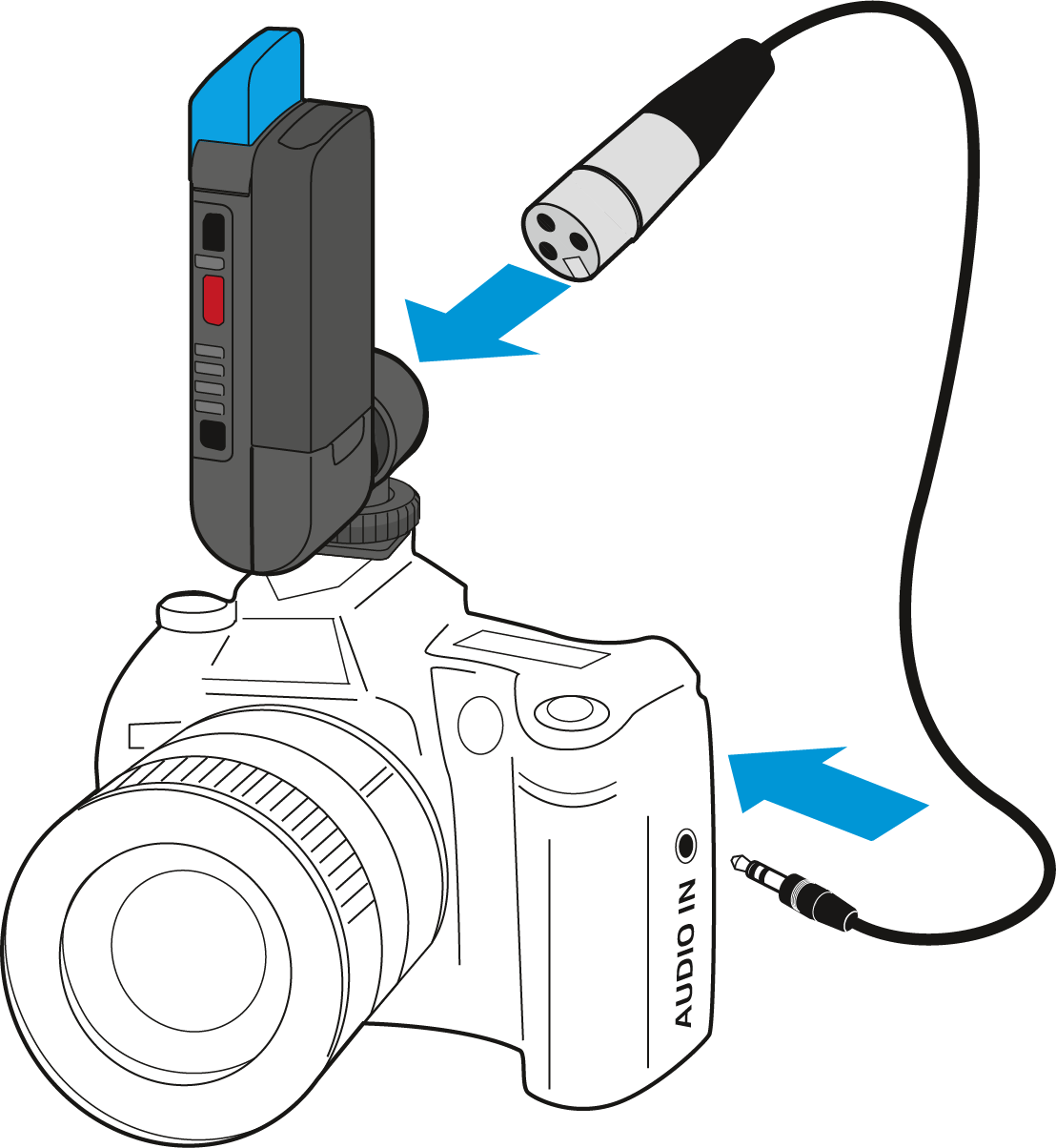
Mounting the receiver to a digital single-lens reflex camera
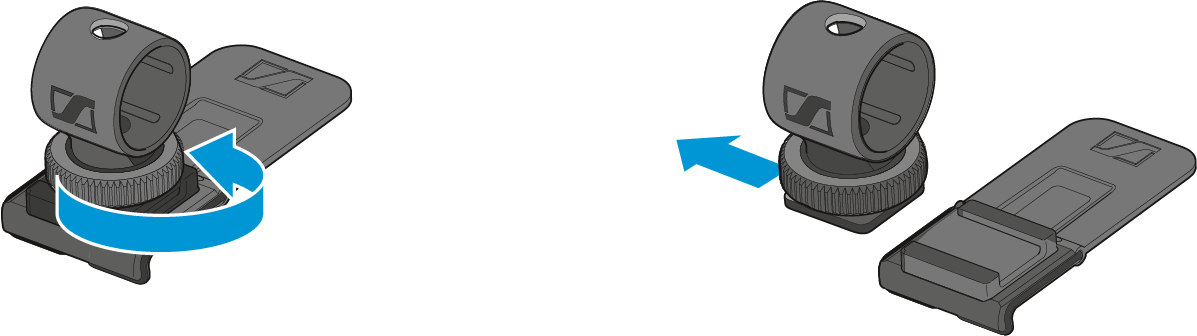
To mount the receiver to a DSLR camera, use the supplied EKP AVX adapter. The adapter consists of a hot shoe adapter and a belt clip.
- Loosen the locking screw.
-
Remove the hot shoe adapter from the belt clip.
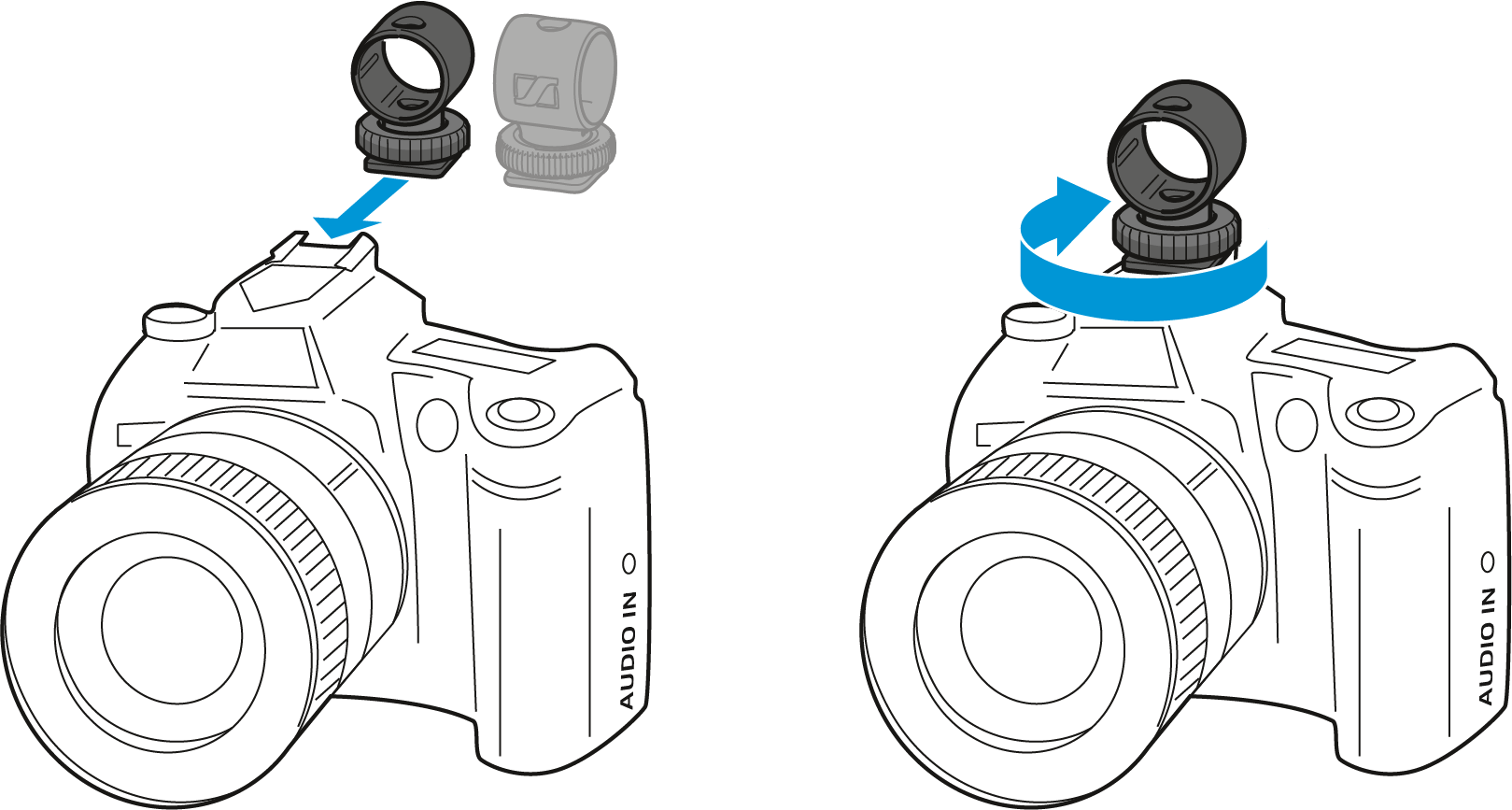
- Slide the hot shoe adapter onto the hot shoe of the DSLR camera as shown on the left.
-
Fasten the hot shoe adapter using the locking screw.
- Plug the receiver‘s rotatable XLR connector into the hot shoe adapter.
- Connect the XLR-3 socket of the supplied CI 400 adapter cable to the XLR-3 connector of the receiver.
-
Connect the 3.5 mm jack plug of the CI 400 adapter cable to the 3.5 mm audio output of the DSLR camera.