User interface
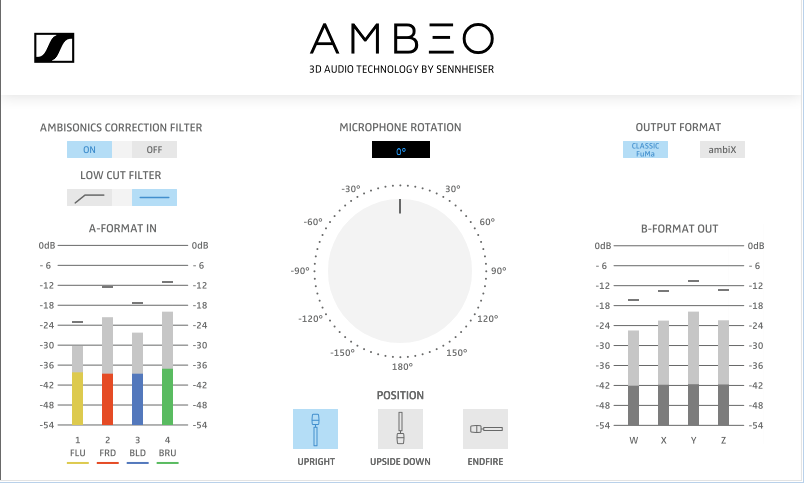
Ambisonics Correction Filter
Use this filter to optimize the recording for the 360° sound image.
This filter is activated as default.
Low Cut Filter
Use this filter to cut low frequencies with possible interfering signals.
This filter is deactivated as default.
Microphone Rotation
Use the rotary switch to correct the horizontal orientation of the microphone, if you e.g. have to later align the direction of sound pickup with the video recording.
The default setting of the rotary switch is 0°.
Position
Select the position according to the actual orientation of the microphone on the stand. The microphone basket can be directed upward (upright), downward (upside down), or forward (endfire).
The default setting is upright.
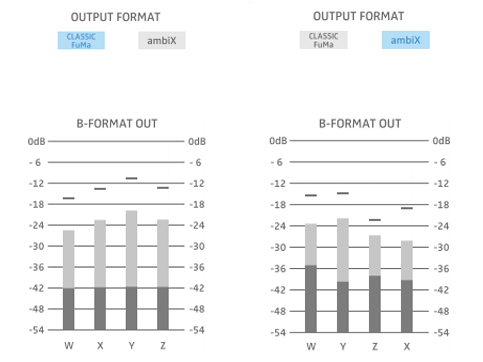
Output Format
Determine the order and the numeric output format of the four channels by choosing between CLASSIC FuMa and ambiX.
The default setting is CLASSIC FuMa.
When CLASSIC FuMa is selected, the channels are ordered as W-X-Y-Z.
When ambiX is selected, the channels are ordered as W-Y-Z-X.