Pre-configuring device parameters


Changing device parameters
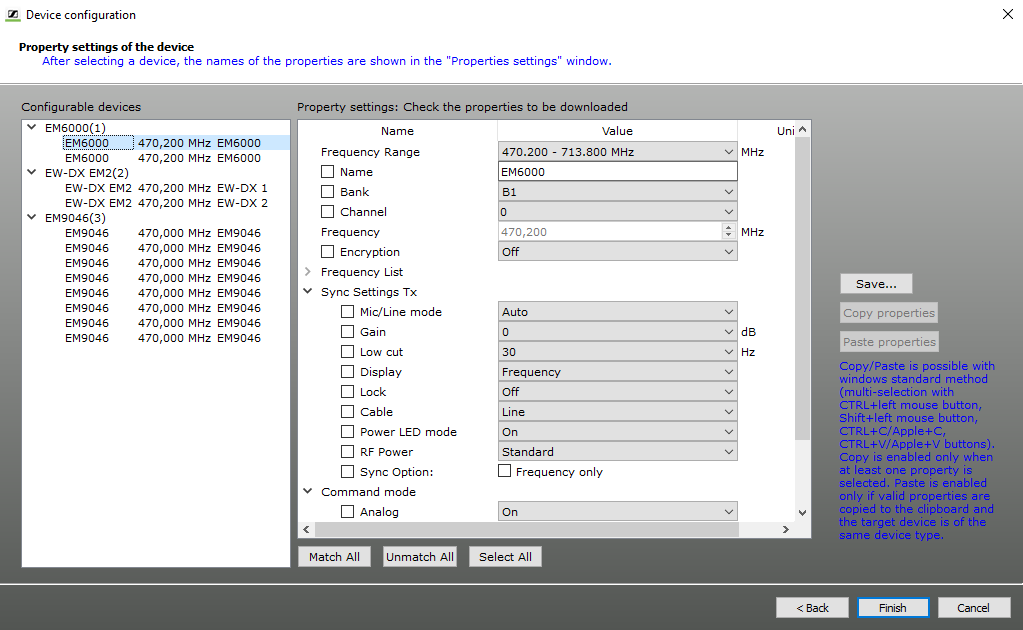
  1. In the left-hand list, click on a device.
    The “Property settings” list displays the device parameters.

    The parameters displayed depend on the type of the device.

    The left-hand column (Name) displays the device parameters. The two columns on the right of it display the corresponding values (Value) and units (Unit).

    If you are changing the settings for the “Frequency”, “Bank” and “Channel”, the “Frequency” setting is prior-ranking. The bank and channel are selected according to the selected frequency.

    Specific information on the parameters can be found in the instruction manuals for the devices. The settings of individual devices can also be changed later when the devices are already connected (see Changing the parameters of a device).

  2. Click on the entry field or on the arrow next to the corresponding parameter.
  3. Enter the desired value or select a value from the selection list.
    Make sure that the device type and the frequency range match. Information on the frequency range is given on the type plate.
Copying parameters and pasting them to other devices
  1. Click on the device whose parameters you want to copy.
  2. Click on “Copy Properties” to copy the parameters.
  3. Click on the device to which you want to assign the copied parameters.
  4. Click on “Paste Properties” to paste the copied parameters to the device.
Saving parameters
  1. Click on “Save”.
  2. Select the folder in which you want to save the file.
  3. In the dialog box, enter a name for the “wsm” file.
  4. Set all parameters.
  5. Click on “Finish”.
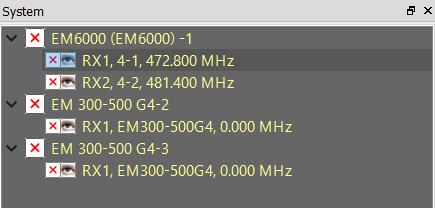
    In the “Device” tab of the system window, the configured devices appear. To the left of them a red “x” is shown.