
Changing energy-saving mode
Adjust the device's power-saving mode according to your requirements.
You can adjust the energy-saving mode according to your infrastructure and the required use cases. Select the appropriate mode for this:
- Eco Mode (default)
- Low Power Mode (optional)
- Always On Mode (optional)
| CAUTION | |
|---|---|
To change the energy saving mode:
- In the Control Cockpit, navigate to .
-
Select the mode under Energy Saving Mode.
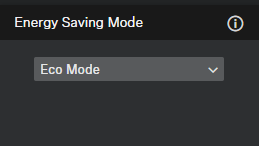
- If Always On Mode was selected, confirm the message that you have been informed about the device's increased power consumption.