
Resetting the TC Bar to factory settings
You can reset the device to the factory settings manually by pressing the button on the back of the device or remotely using the control panel in .
| Attention | |
|---|---|
Reset the TC Bar to the factory settings by either:
- Press and hold the Reset button on the rear of the device for at least 7 seconds,
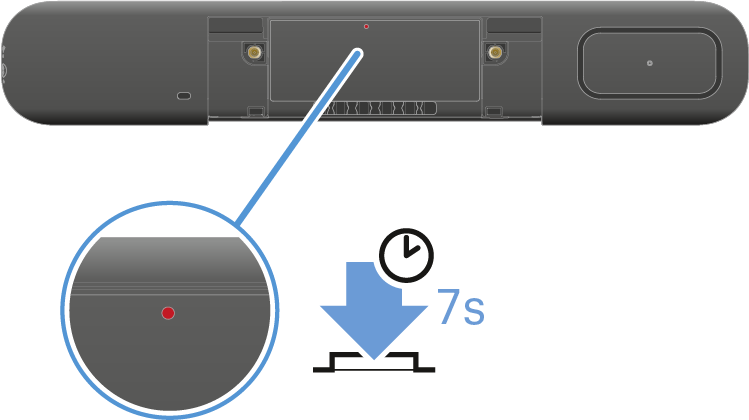
or - In LUI or DeviceHub , navigate to and click Reset to factory settings. Confirm the setting with Reset to factory settings.
There is a brief sound, and the red LED slowly flashes. The TC bar is reset and then rebooted. The white LED flashes during the boot process. A short melody sounds when the device is ready for operation.