
Connecting the COM Button
The COM Button can be programmed with different functions, like mute or push to talk.
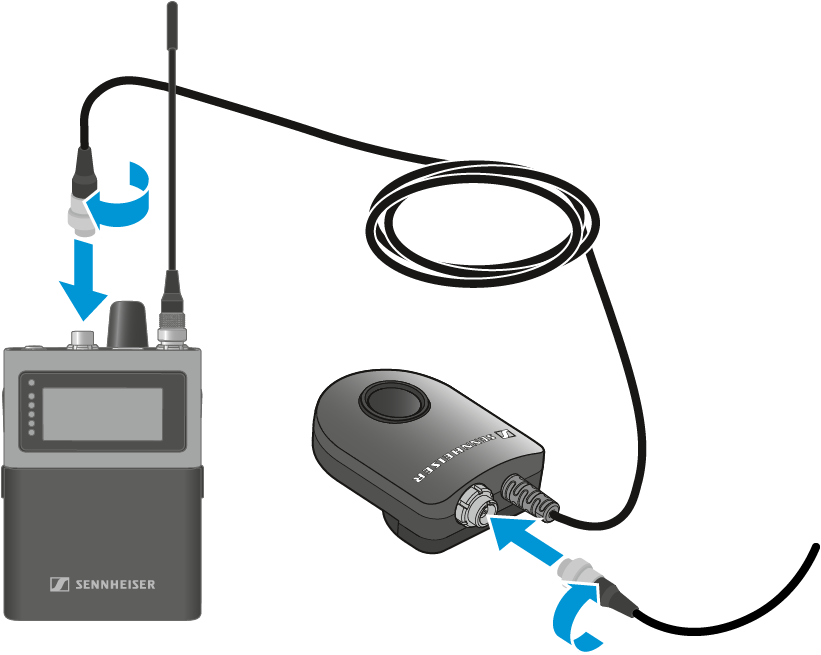
To connect the COM button to the SEK:
- Connect the 3-pin audio connector of the COM Button to the microphone / instrument input socket of the SEK.
-
Connect the 3-pin audio connector of the Sennheiser microphone or the
Sennheiser line/instrument cable to the 3-pin audio socket of the COM Button.
The KA 9000 COM is not compatible with the Spectera system.