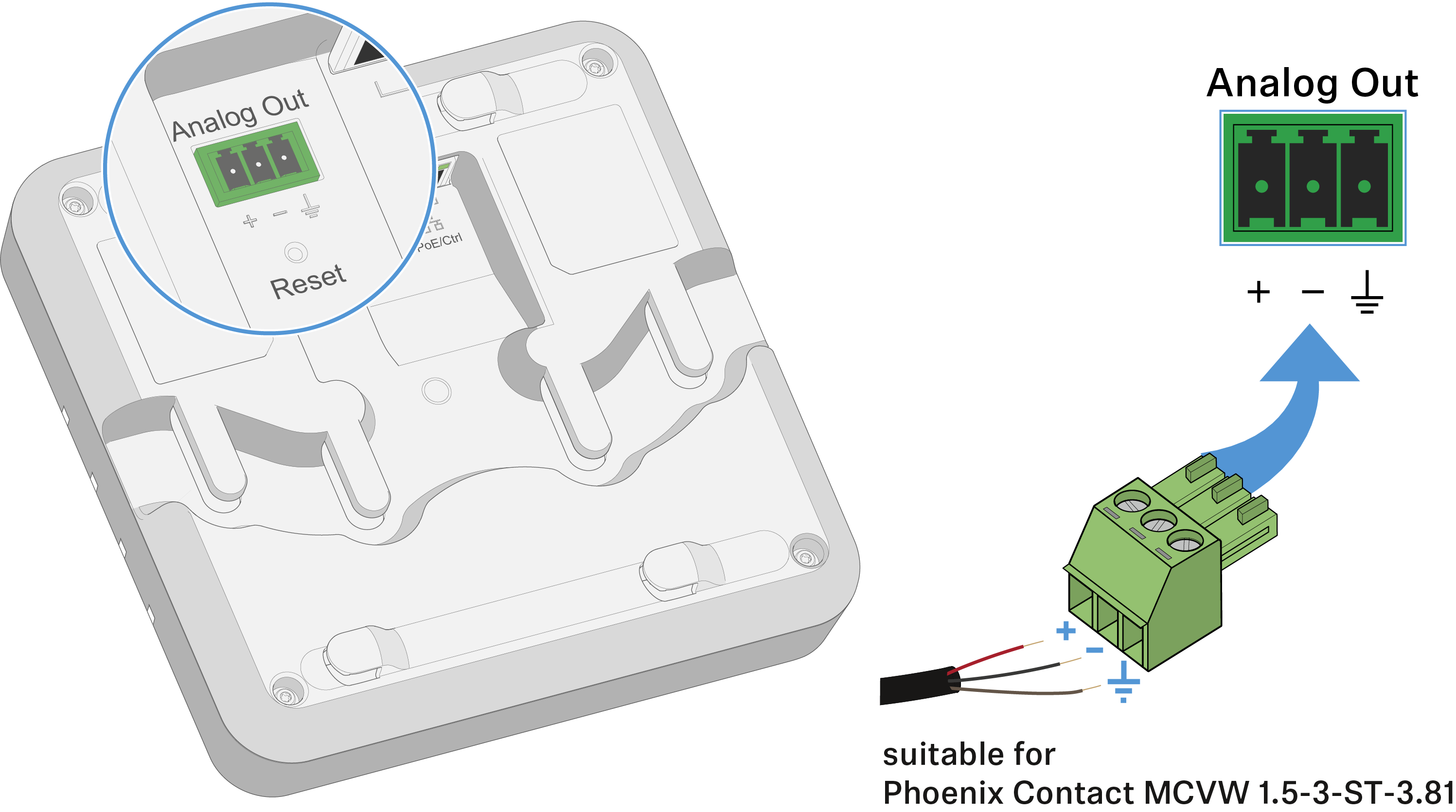
Connecting the receiver
The receiver can output analog and digital audio signals.
The analog audio signal is output via the 3-pin Analog Out terminal.
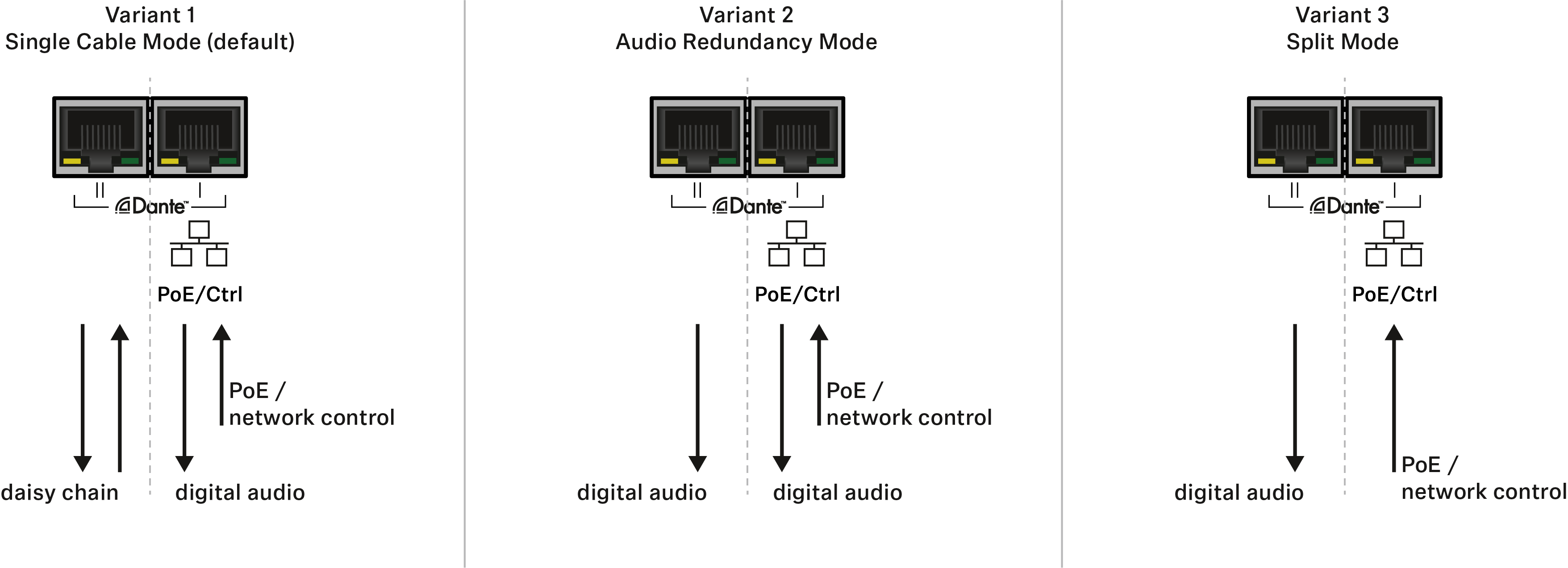
Digital audio signals are output via the Dante interface with two RJ-45 sockets. This interface is also used for control and configuration via the network and for Power over Ethernet supply.
The following variants are possible:
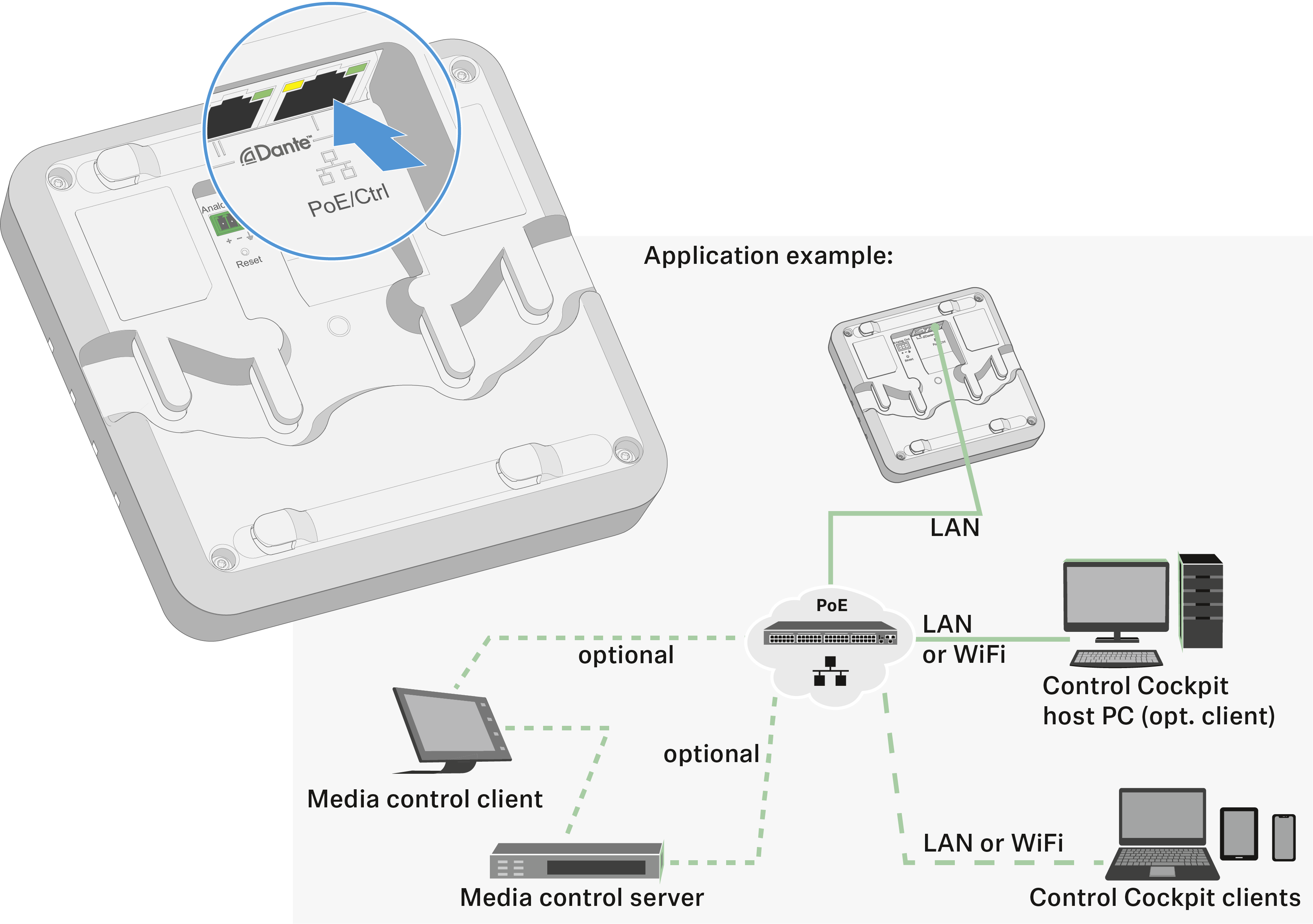
Connecting to the network (power supply and configuration)
The PoE/Ctrl RJ-45 socket (Dante I) is used to both power the receiver via Power over Ethernet and configure it using the Sennheiser Control Cockpit software (see Controlling and monitoring the receiver via the network).
- In your network you can either use a switch that provides PoE or a PoE injector.
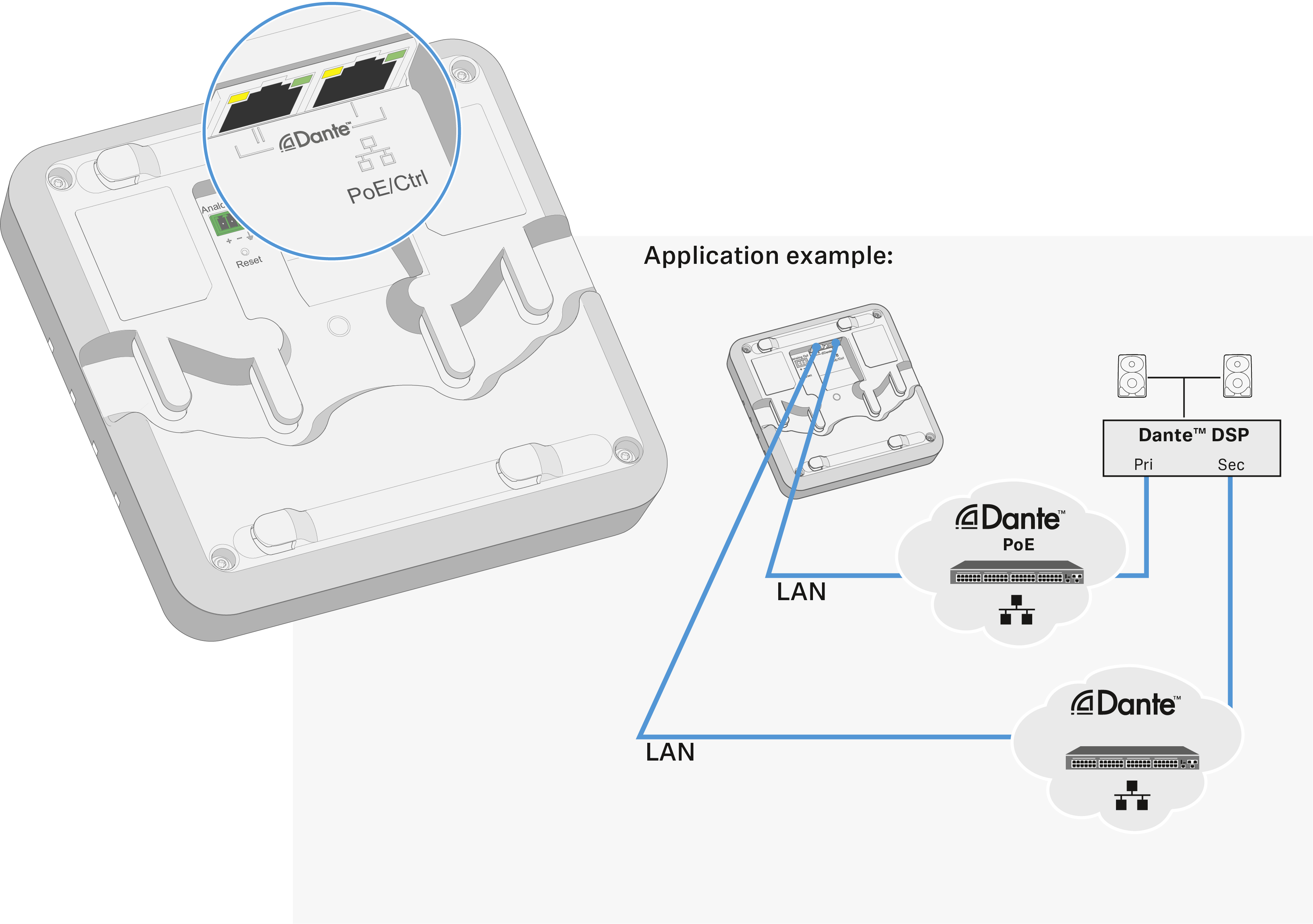
Outputting digital audio signals
The Dante® interface with two RJ-45 sockets, Dante I and Dante II, is used for outputting digital audio signals. The interface supports redundant output and daisy-chaining (see above for details).
You can configure in the Sennheiser Control Cockpit whether the sum signal is mixed automatically or manually (see Controlling and monitoring the receiver via the network).
Outputting analog audio signals
The sum signal of all receiver channels is output from the Analog Out output.