
Lock-off function
You can set the automatic lock-off function in the Auto Lock menu (see Auto Lock menu item).
When you have switched on the lock-off function, you will have to turn the receiver off and on again in order to operate it.
To temporarily deactivate the lock-off function:
-
Press the SET button.
Locked appears in the display panel.
-
Press the UP or DOWN button.
Unlock? appears in the display panel.
-
Press the SET button.
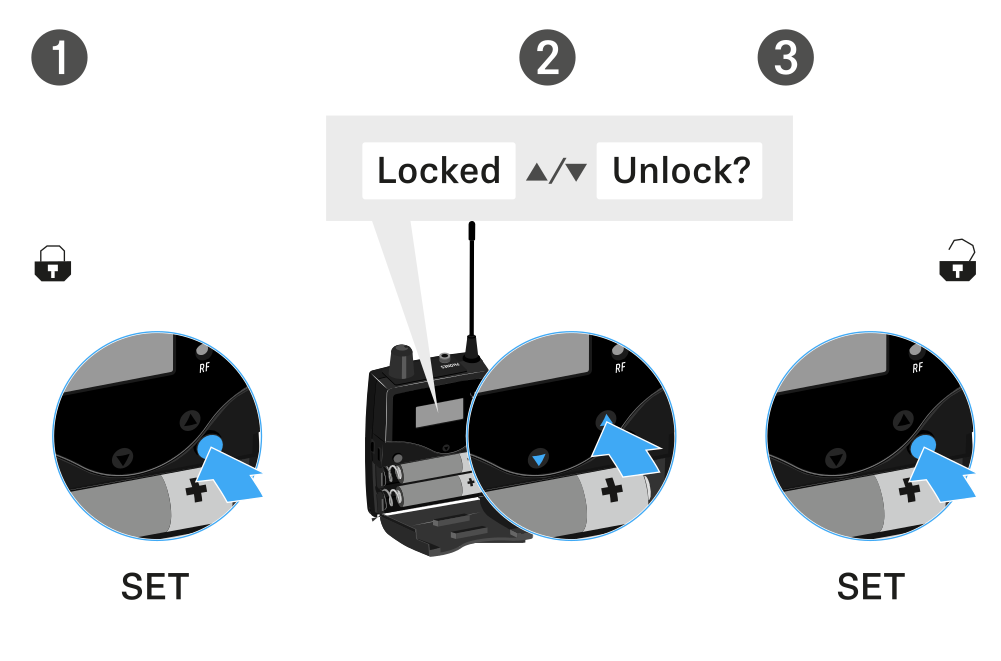
Lock-off function is now temporarily deactivated.
When you are in the operating menu
- Lock-off function is deactivated long enough for you to work in the operating menu.
When one of the standard displays is shown
- Lock-off function is automatically activated after 10 seconds.
The lock-off function icon flashes while the lock-off function is activated again.