
Advanced > Mute Mode menu item
Configure the function of the mute switch and the RMS 1 remote mute switch
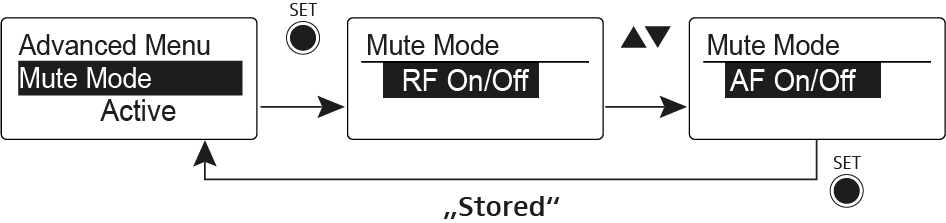
The Push to mute and Push to talk menu items can only be used with an
RMS 1 remote mute switch.
MUTE switch functions
AF On/Off mode
- If set to position MUTE, the audio signal is muted
RF On/Off mode
- If set to the MUTE selector position, the RF signal is deactivated.
Disabled mode
- No function
Functions of the RMS 1 remote mute switch
AF On/Off mode
- Press the RMS 1 mute switch: The audio signal is muted.
- Press the RMS 1 mute switch again: The audio signal is no longer muted.
RF On/Off mode
- Press the RMS 1 mute switch: The RF signal is deactivated.
- Press the RMS 1 mute switch again: The RF signal is activated.
Push To Mute mode
- The audio signal is deactivated as long as the RMS 1 mute switch is pressed.
Push To Talk mode
- The audio signal is activated as long as the RMS 1 mute switch is pressed.
- The bodypack transmitter is muted when you configure the Push to Talk function.
Disabled mode
- No function
When you connect the RMS 1 remote mute switch you can only mute the signal using this switch. The MUTE switch’s function is deactivated during this time.