Starting up and operating devices of the ew G4 series.
In the plug-on transmitters menu, you can configure the following settings.
In the Advanced submenu you can configure enhanced settings.
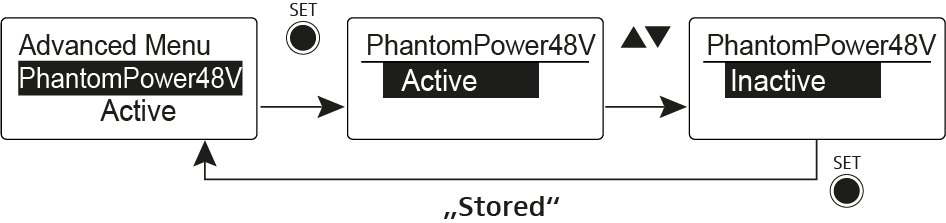
Activating phantom powering
You can mute the audio signal with the MUTE switch.
You can view the following information on the transmitter display.
Adjusting the input sensitivity – AF audio level
Manually selecting a frequency bank and channel
Entering names
Switching the automatic lock-off function on and off
Configuring the transmission frequency and frequency bank U
Configuring the MUTE switch
Configuring the transmission power
Activating/deactivating pilot tone transmission
Adjusting the contrast of the display panel
Resetting the plug-on transmitter
Show software revision
Note the following information when cleaning and maintaining products of the ew G4 series.