
Deactivating the RF signal (RF mute)
You can deactivate the RF signal in two ways:
Deactivating the RF signal with the MUTE switch
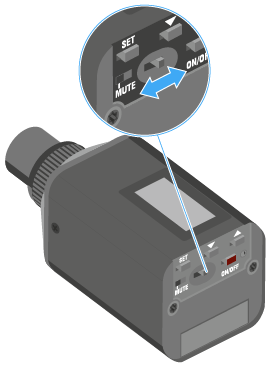
You can deactivate the RF signal with the MUTE switch.
To do this, the MUTE switch function must be configured to RF On/Off. You can find more information about this subject under Advanced > Mute Mode menu item.
-
Slide the MUTE switch to the MUTE position.
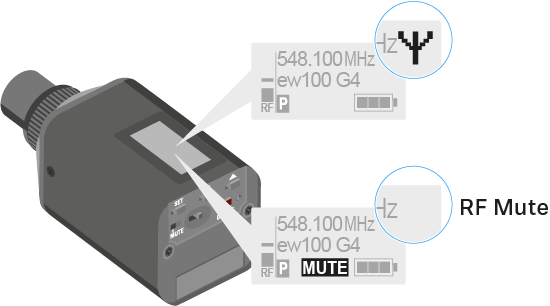
The RF signal is deactivated. The message MUTE is shown in the display and the transmission icon no longer appears.
Deactivating the RF signal with the ON/OFF button
-
Press the SET button.
The RF signal is deactivated. The message MUTE is shown in the display and the transmission icon no longer appears.