
Ch 1 / Ch 2 -> Low Cut menu item
In the Low Cut menu item, you can set the value of the low cut filter for the respective channel.
Setting range:
- For EW-DX SK | EW-DX SK 3-PIN: Off, 30 Hz, 60 Hz, 80 Hz, 100 Hz, 120 Hz
- For EW-DX SKM | EW-DX SKM-S: 60 Hz, 80 Hz, 100 Hz, 120 Hz
To open the Low Cut menu item:
-
In the menu, navigate to the Low Cut menu item for the desired channel.
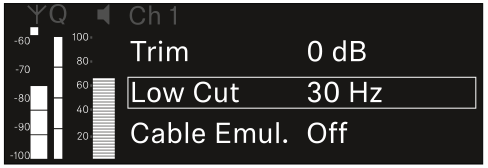
-
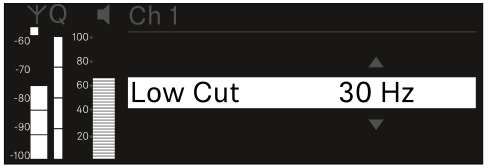
Press the jog dial to open the menu.
The following view is displayed:
For the set value to be applied to the received transmitter, you must synchronize the channel (Connecting to the EW-DX EM receivers / synchronizing the EW-DX EM).