
Connecting/disconnecting the receiver to/from the power supply system
You can operate the receiver using either the included power supply unit or with Power over Ethernet (PoE IEEE 802.3af Class 0). Please refer to the following information.
Power from the power supply unit
If using a power supply unit, use only the power supply unit included with the device. It is designed for your receiver and ensures safe operation.
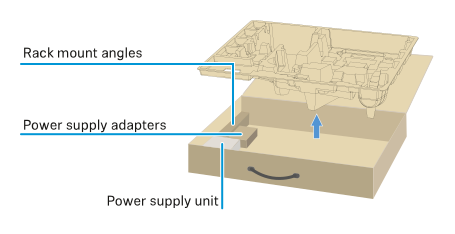
You will find the power supply unit and the country adapters in the packaging under the tray:
To connect the receiver to the power supply system:
-
Plug the power supply unit into the wall socket.
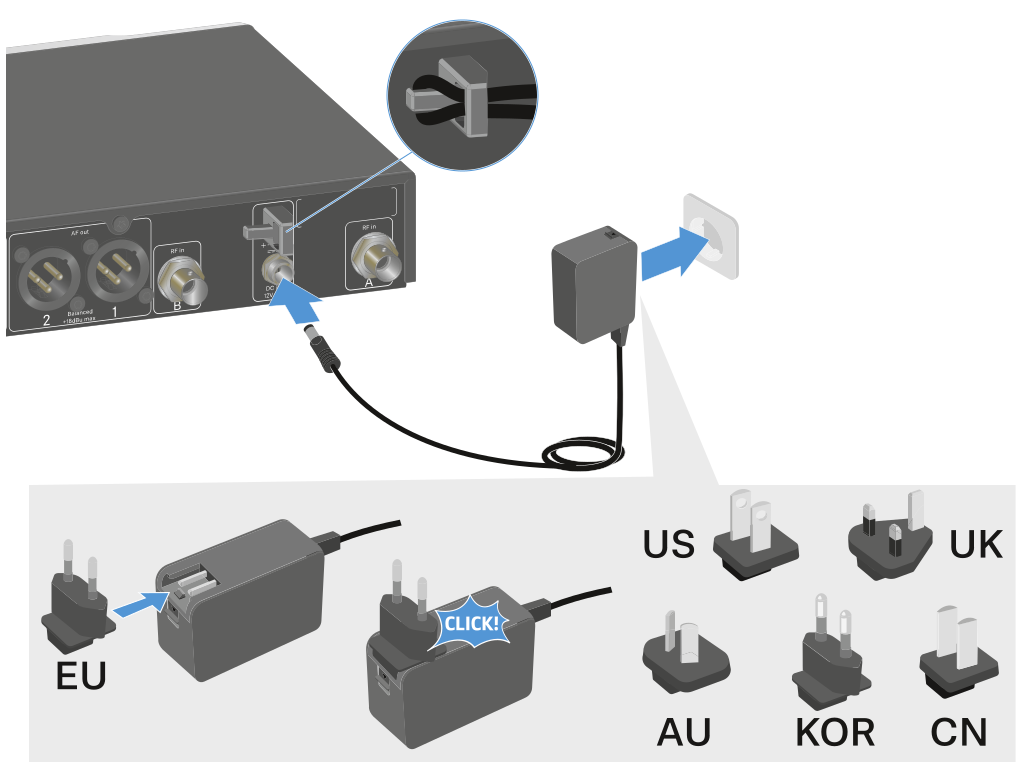
To completely disconnect the receiver from the power supply system:
Power over Ethernet (PoE)
The receiver can be powered via Power over Ethernet (PoE IEEE 802.3af Class 0).
-
Connect the receiver to a PoE-enabled network switch.
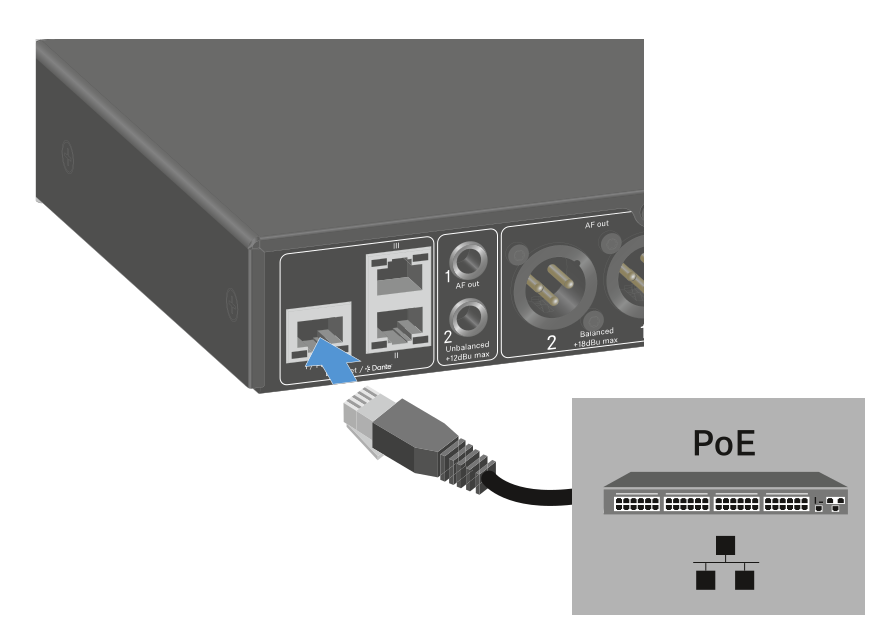
Note the different assignments of the sockets (see Connecting receivers in a network).