
Lock-off function
You can enable or disable the automatic lock-off function in the This Device -> Device Lock menu item (see System -> This Device menu item).
To temporarily deactivate the lock-off function:
-
Press the jog dial.
Lock-off function is now temporarily deactivated.
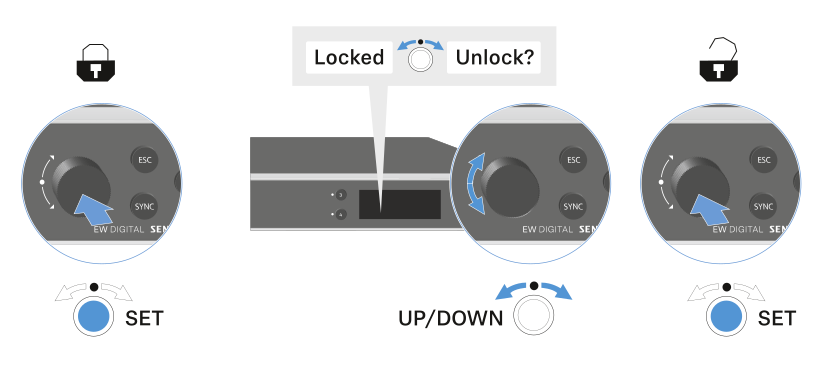
After 10 seconds of inactivity, it automatically activates again.