
Sign-up (Sennheiser)
Register a new Sennheiser account in order to use DeviceHub.
To sign up:
-
Open the DeviceHub login page at https://devicehub.sennheiser.com/.
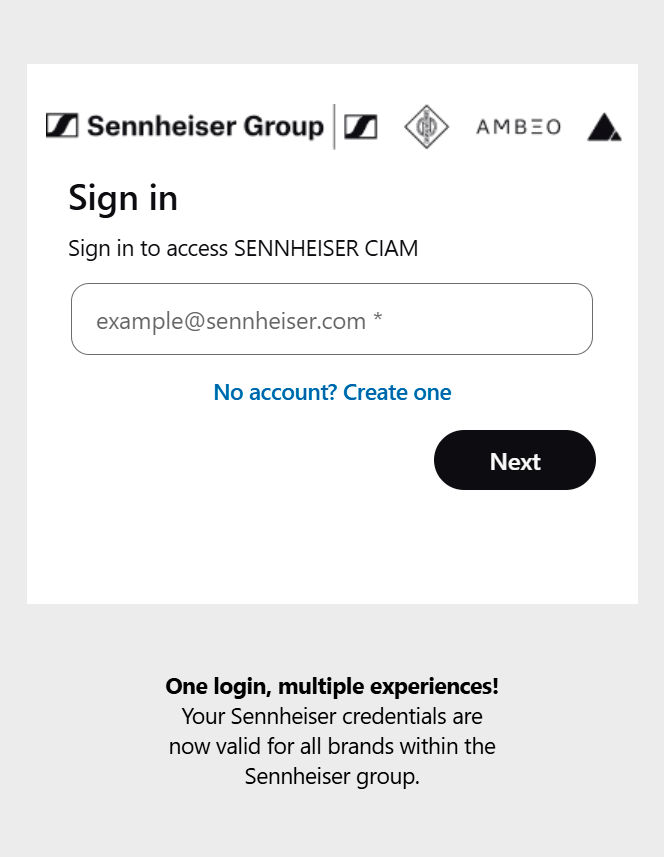
-
Click on No account? Create one.
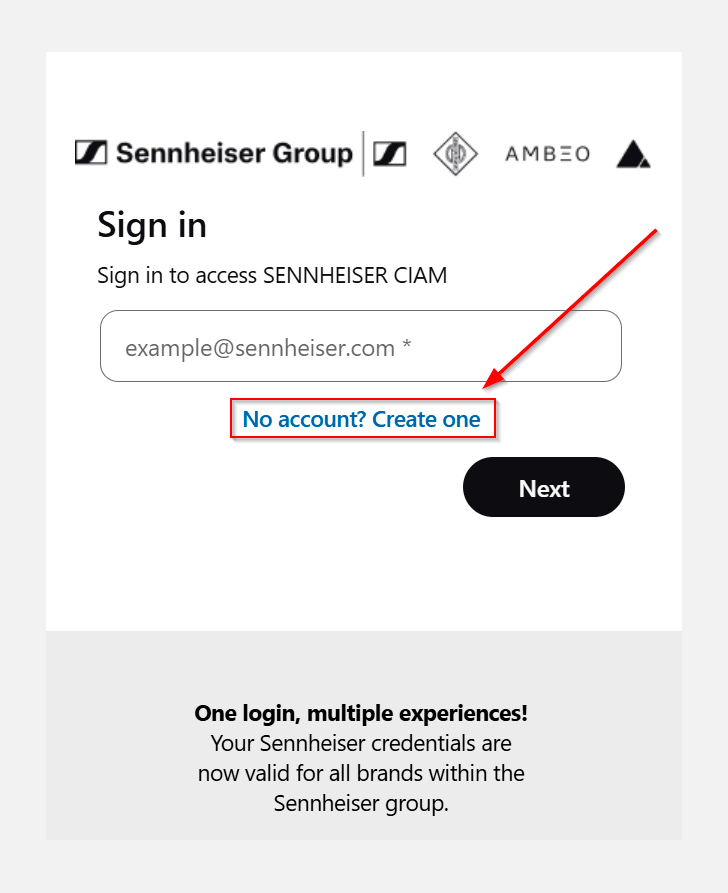
-
Enter your email address in the text box.
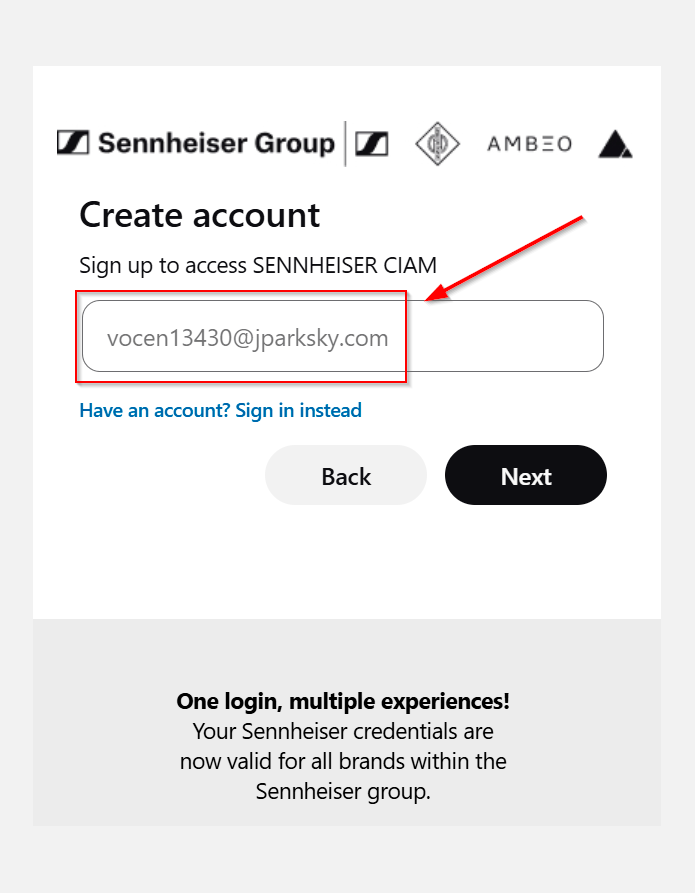
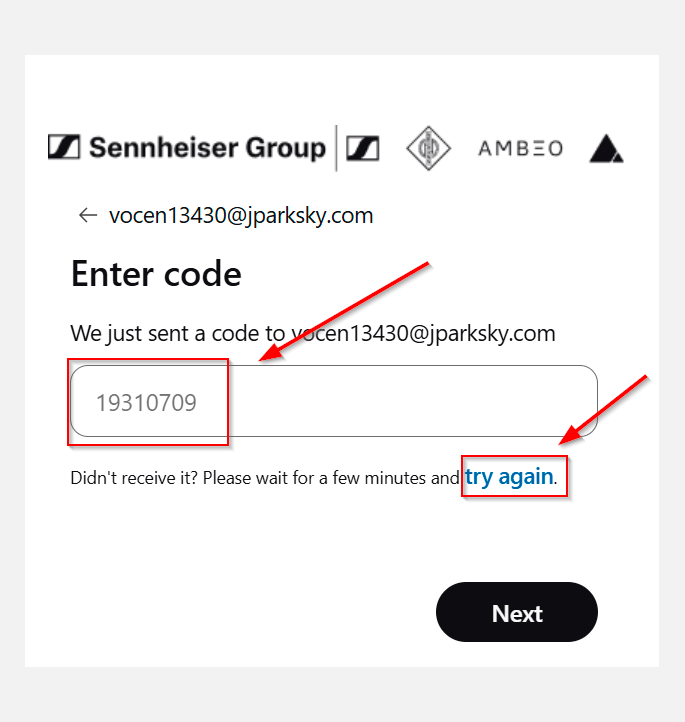
To return to the sign-in page, click on Have an account? Sign in instead below the email text box.A One-Time Passcode (OTP) is sent to your email address to verify your account and looks like this: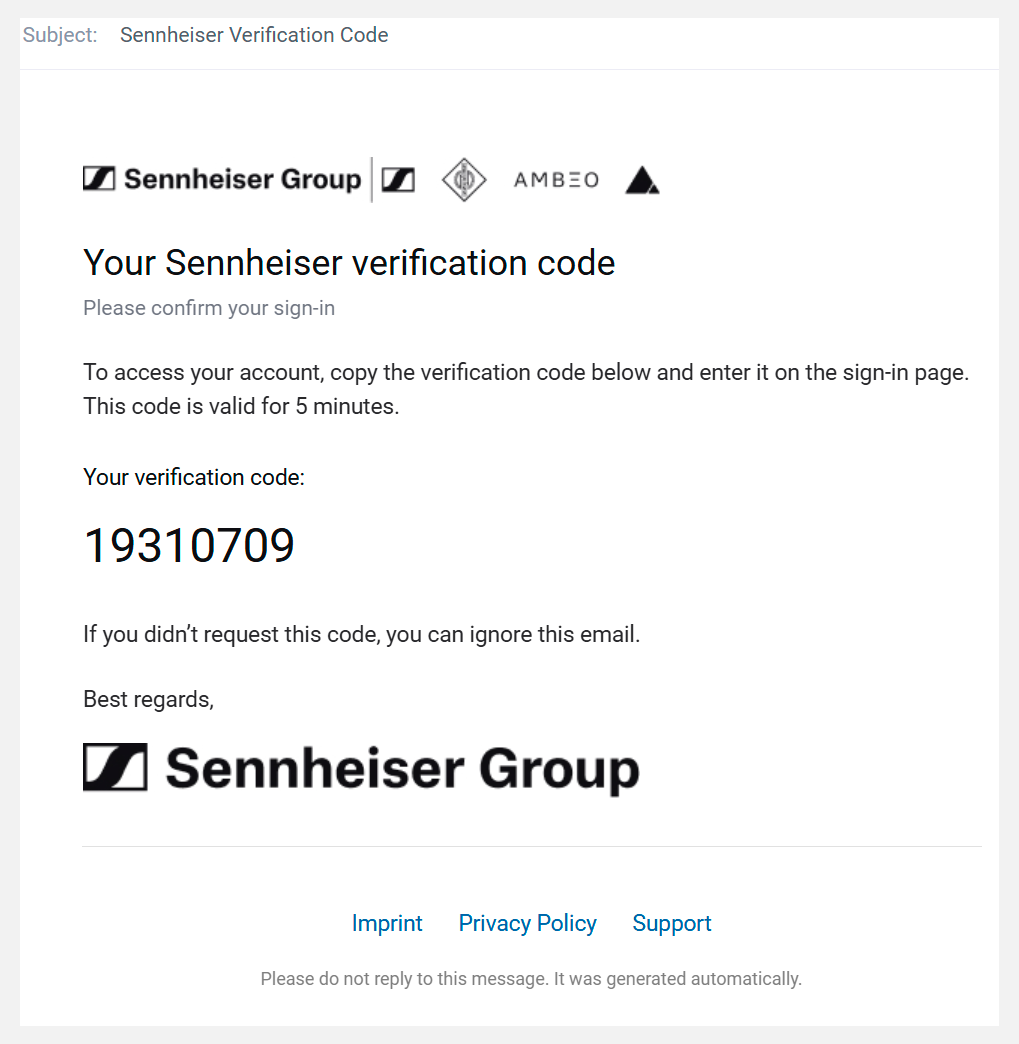
OTP codes are valid for 5 minutes only. -
Enter the OTP on the screen.
If it takes longer than expected to receive the OTP email, a hint appears indicating that you can request a new code. Click on the link Try again and wait for the new OTP email to arrive in your mailbox.
-
Enter your preferred password and provide all additionally required
information. You must also agree to our https://www.sennheiser.com/de-de/legal/terms-of-use-ciam and Security and data protection.
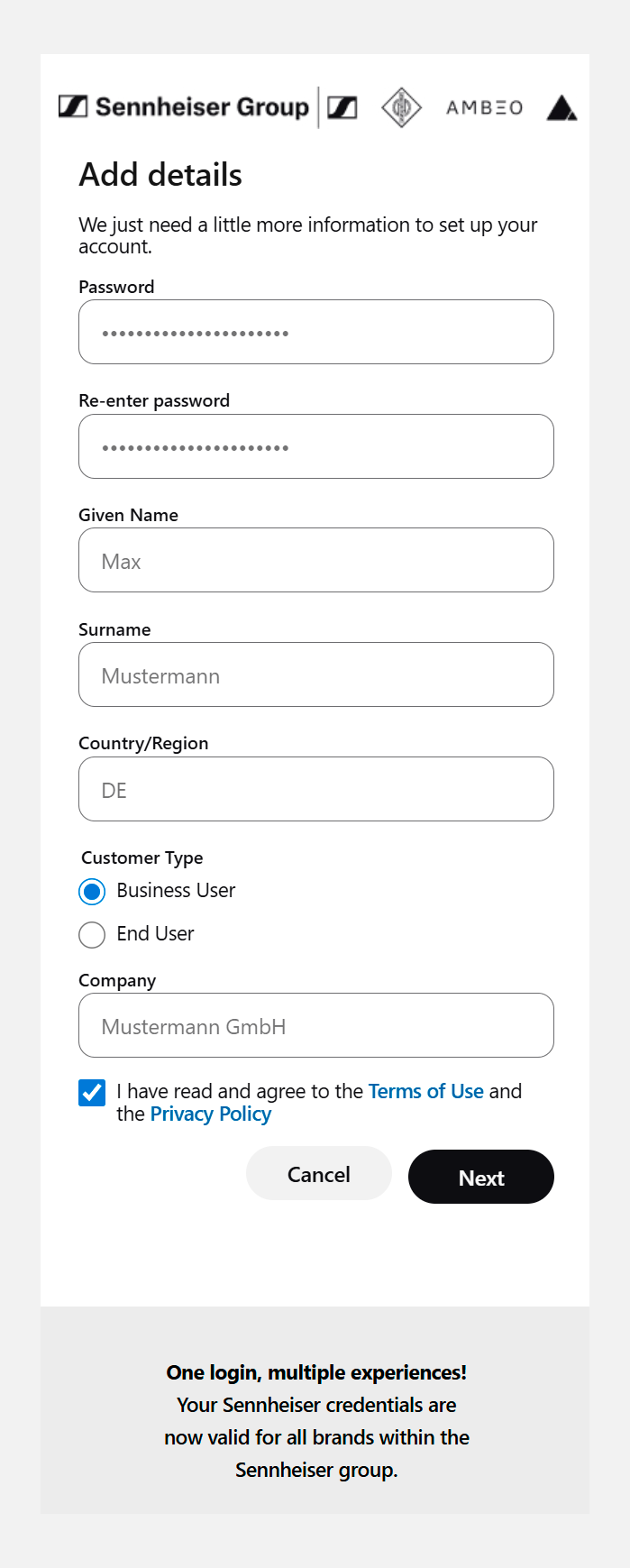
Please note that the terms of use can be updated at any time during the CIAM lifecycle based on legal or infrastructure changes. By not accepting the terms of use, login access will be lost.