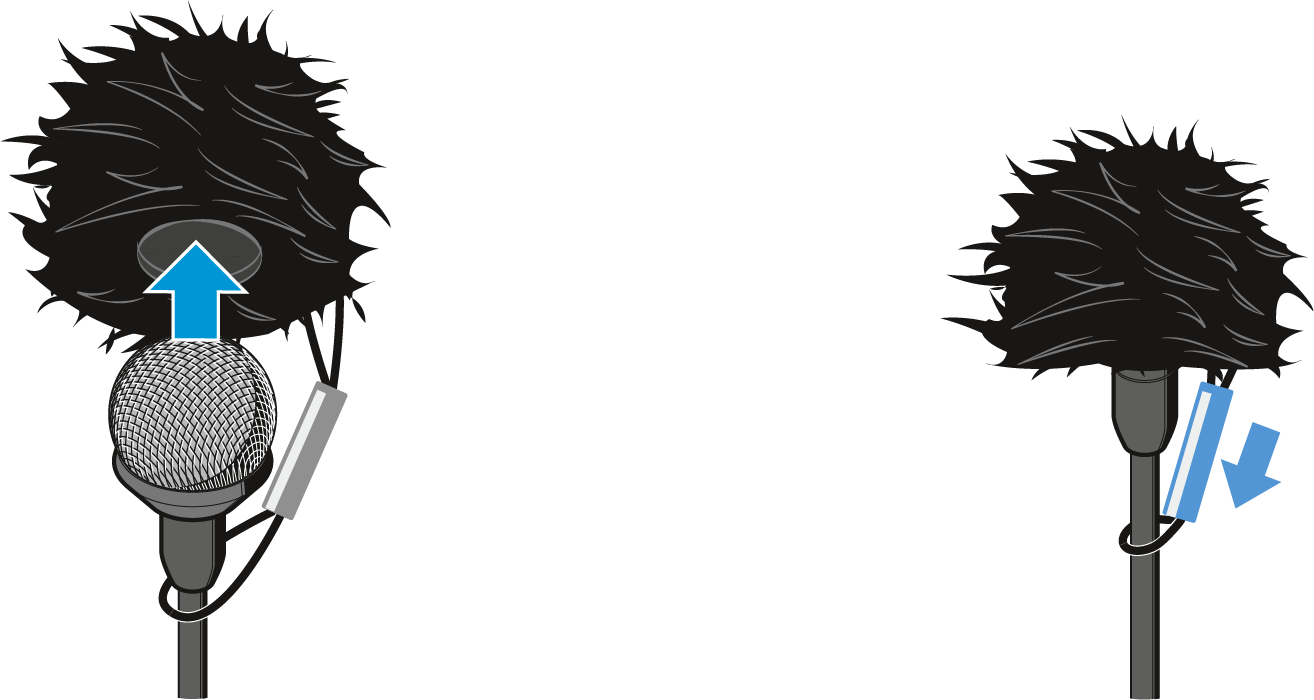
Using the windshield
In order to avoid annoying wind noise during recording, we recommend using a suitable windshield.
The MKE 2 is supplied with a metal windshield and a fur windshield. To begin with, use the metal windshield which reduces wind noise by up to 20 dB. With the additional fur windshield, you can reduce wind noise by a further 10 dB.
The fur windshield can only be used together with the metal windshield.
To use the metal windshield:
-
Slip the metal windshield onto the microphone capsule of the MKE 2.
The microphone is ready for operation and can be attached to clothing by means of the supplied microphone clip (see Attaching the clip-on microphone to clothing).

To use the fur windshield:
-
Slip the metal windshield onto the microphone capsule.
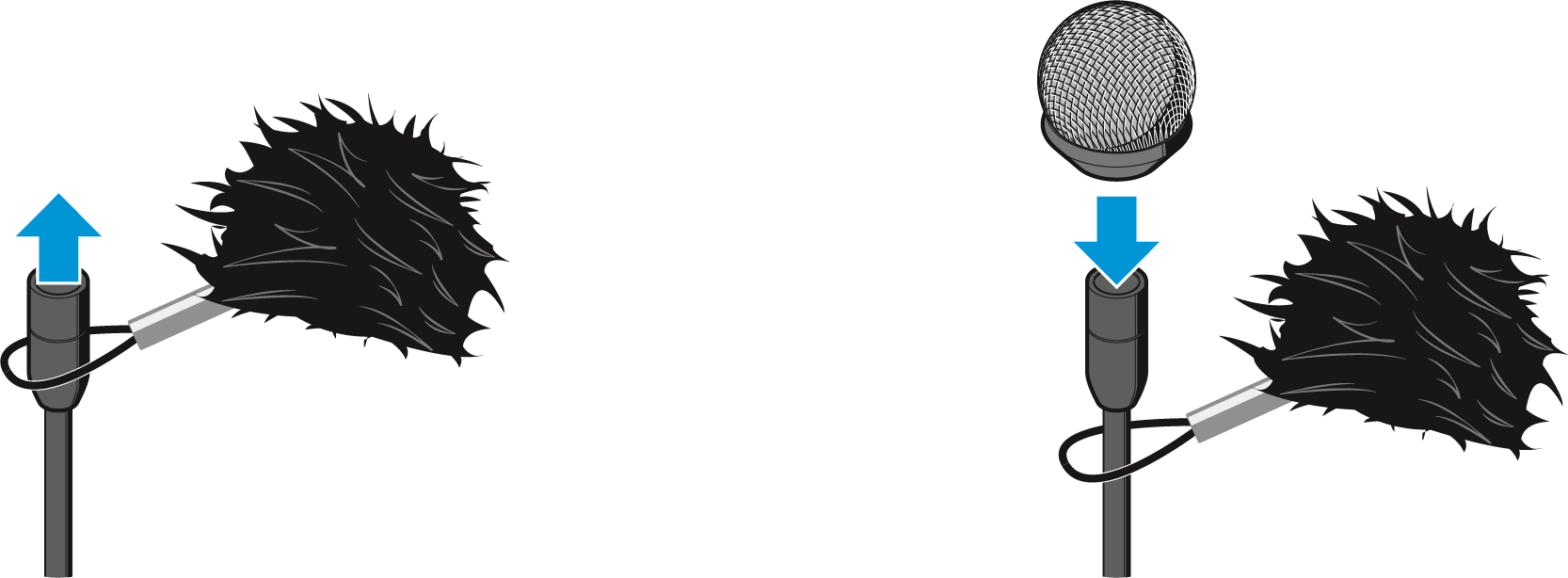
-
Use the sleeve to tighten the retaining loop around the connection cable.
The retaining loop ensures that the fur windshield is securely attached to the clip-on microphones.