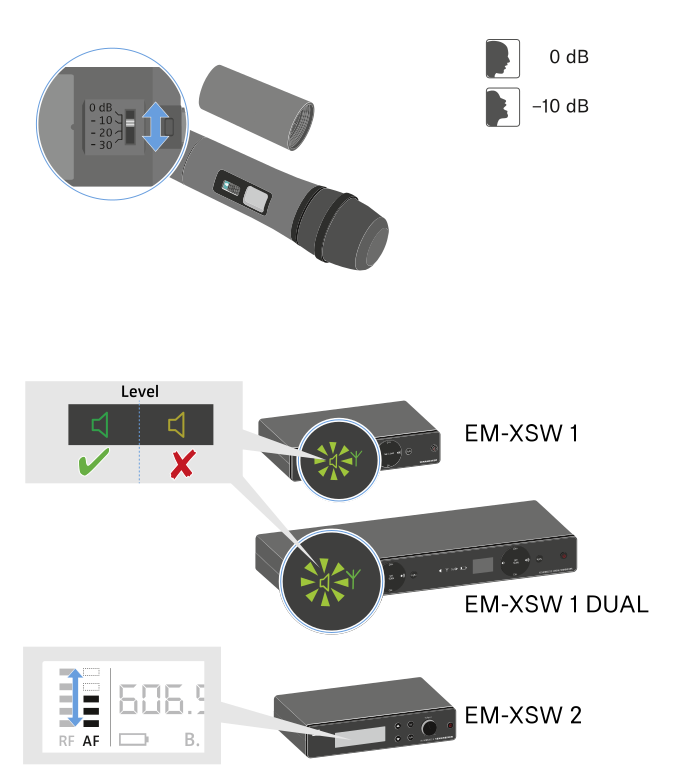
Setting the input sensitivity
Use the Sensitivity switch to adjust the level of the audio signal sent to the receiver.
- Unscrew the microphone housing and pull it downward.
- Adjust the input sensitivity using the Sensitivity switch.
-
Pay attention to the level indicator on the receiver display.