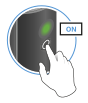
Switching on the transmitter and receiver
Switching on the receiver:
-
Connect the receiver to the power supply system.
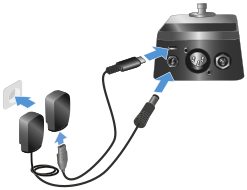
You can use the included power supply unit or power the receiver via the USB port. It cannot be operated using batteries.The status LED starts flashing green. The flashing indicates that a wireless connection is being established.
Switching on the transmitter:
-
Briefly press the button on the transmitter.
The status LED indicates the charge level for four seconds. -
During these four seconds, check that the transmitter and receiver are sufficiently charged.

> 70 % 
5 % ... 75 % 
< 5% If the status LED remains red, you should charge the rechargeable battery first. If the status LED flashes red, the charge level is too low. You must charge the rechargeable battery first (see Charging the rechargeable battery).After four seconds, the status LED starts flashing green. The flashing indicates that a wireless connection is being established.
The status LEDs remain green once the transmitter and receiver are connected. If the status LEDs do not remain green, either the charge level is below 15 % (see Checking the charge level during use) or the transmitter and receiver are not paired (see Pairing).
Switching off the receiver:
-
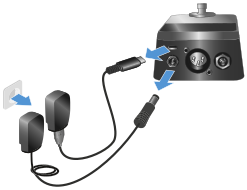
Disconnect the receiver from the power supply system.
Switching off the transmitter:
-
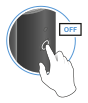
Press the button on the transmitter until the status LED switches off.