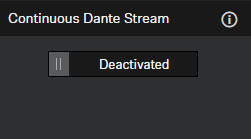
Activating the continuous Dante® stream
This function enables the continuous transmission of microphone streams over Dante®.
Audio data will be streamed permanently over Dante®. This may increase power
consumption. Ensure that continuous audio streaming over Dante® complies with your
regional security and regulatory requirements before enabling.
| CAUTION | |
|---|---|
To enable the continuous Dante® stream:
- In the Control Cockpit, navigate to .
-
Activate the toggle in the field Continuous Dante®
Stream.