
Camera Settings
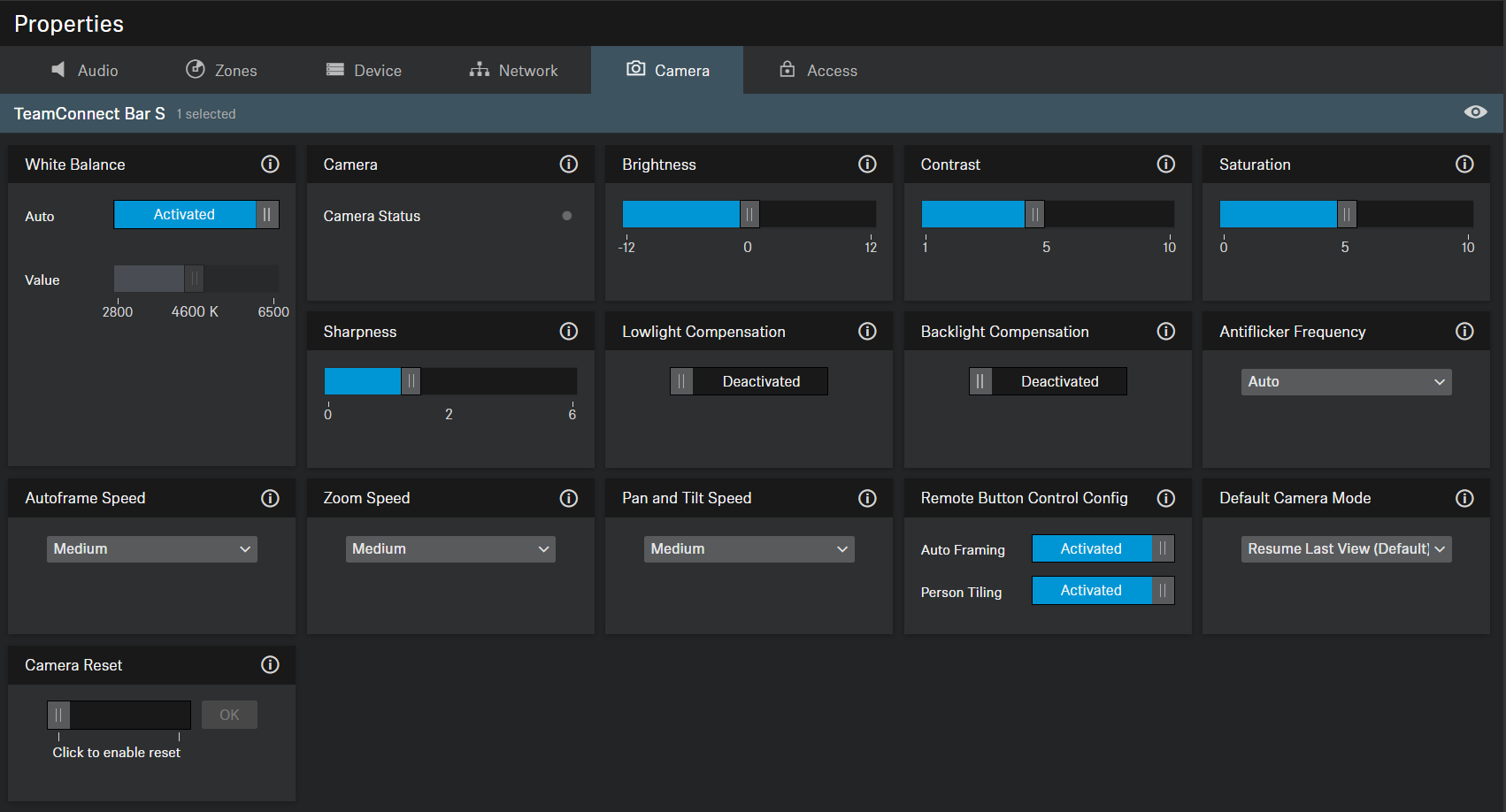
White Balance
Adjusts the video image for natural color representation. The white balance can be set either automatically or manually.
Camera Status
Shows current status (enabled or disabled) of the camera.
Brightness
Adjusts the brightness of the video image from -12 (dark) to 12 (very bright).
Contrast
Adjusts the contrast between light and dark parts of the video image from 1 (low contrast) to 10 (high contrast).
Saturation
Adjusts the color saturation of the video image from 0 (low saturation) to 10 (high saturation).
Sharpness
Adjusts the level of detail in the video image.
Lowlight Compensation
Increases the camera sensitivity in scenes with low lighting. Either Backlight Compensation or Lowlight Compensation can be used.
Backlight Compensation
Increases the exposure of the camera in backlight conditions. Either Backlight Compensation or Lowlight Compensation can be used.
Antiflicker Frequency
Reduces image flickering caused by AC driven lighting sources.
Autoframe Speed
Controls the speed of automatic zooming.
Zoom Speed
Controls the speed of manual zooming.
Pan and Tilt Speed
Controls the pan and tilt speed of the camera.
Remote Button Control Config
Activates or deactivates functions Auto Framing and/or Person Tiling on the remote control.
Default Camera Mode
-
Resume Last View (Default): In this mode, the last saved changes will be applied.
-
Full Field of View: Displays the entire field of view.
-
Auto Framing: Focuses on participants in the room and maintains this focus at all times.
-
Person Tiling: Automatically divides recorded participants into individually tailored frames.
-
User Preset: All user configured camera settings will be applied.
Camera Reset
Resets the preset camera settings to default settings.