Option 1: Connecting the AWM 2 or AWM 4 antenna wall mount directly to the receiver(s)
You can connect one receiver directly to one AWM 2 antenna wall mount or you can connect two receivers directly to one AWM 4 antenna wall mount.
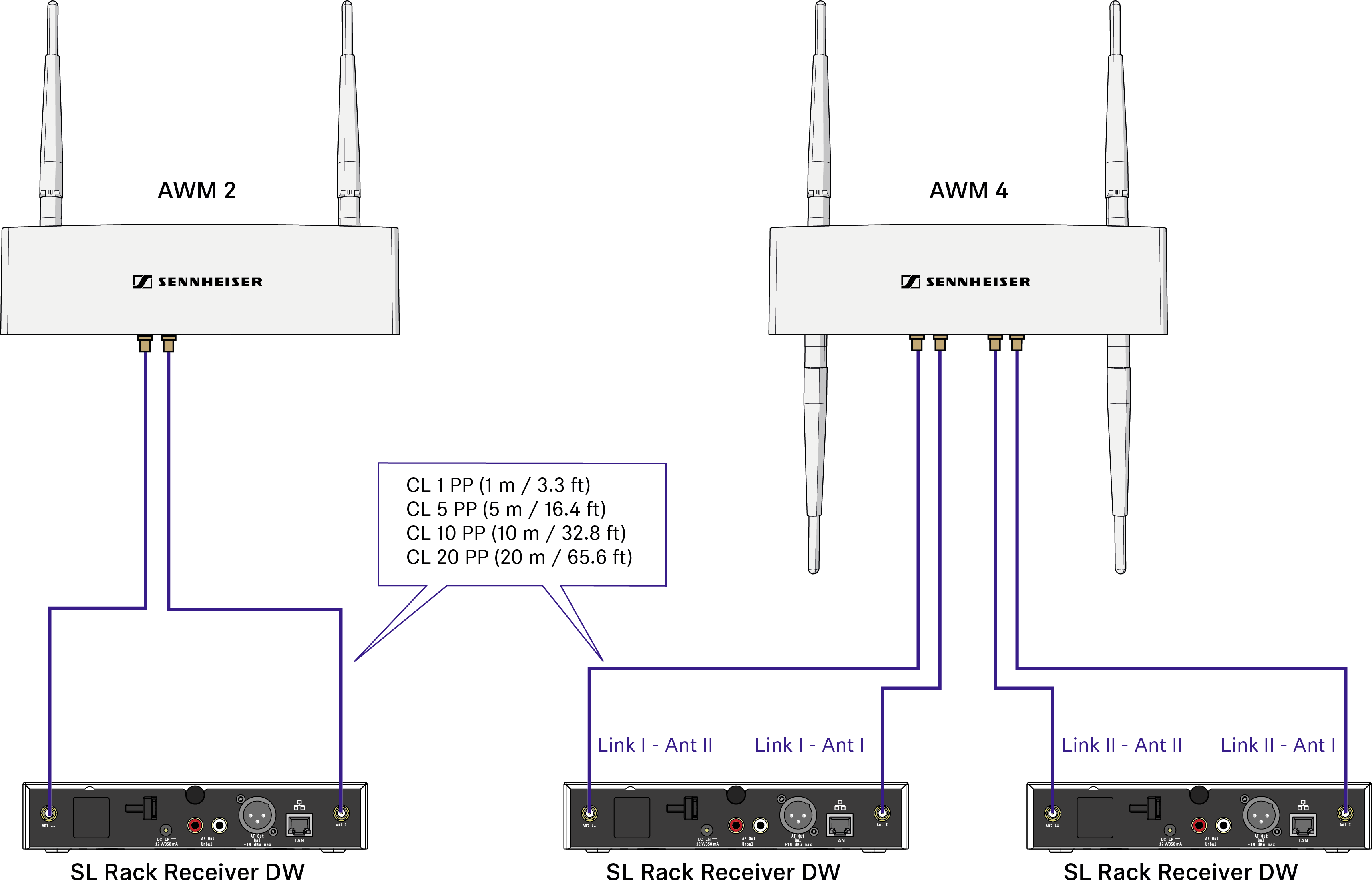
Observe the following information when using extension cables:
Signal loss due to extension cables
In this scenario, using extension cables for remote antenna mounting results in a loss of transmission power, depending on the cable length.
You can compensate this signal loss by configuring the transmission power of the receiver accordingly.
Observe the following minimum transmission power settings (SL Rack Receiver DW: System Settings menu -> RF Power) for the respective cable lengths:
- Cable length of 5 m -> at least level 1
- Cable length of 10 m -> selected level +1, at least level 2
- Cable length of 20 m -> selected level +1, at least level 3
- Cable length of 25 m and longer -> selected level +2, at least level 4
Remote antenna distances and line of sight
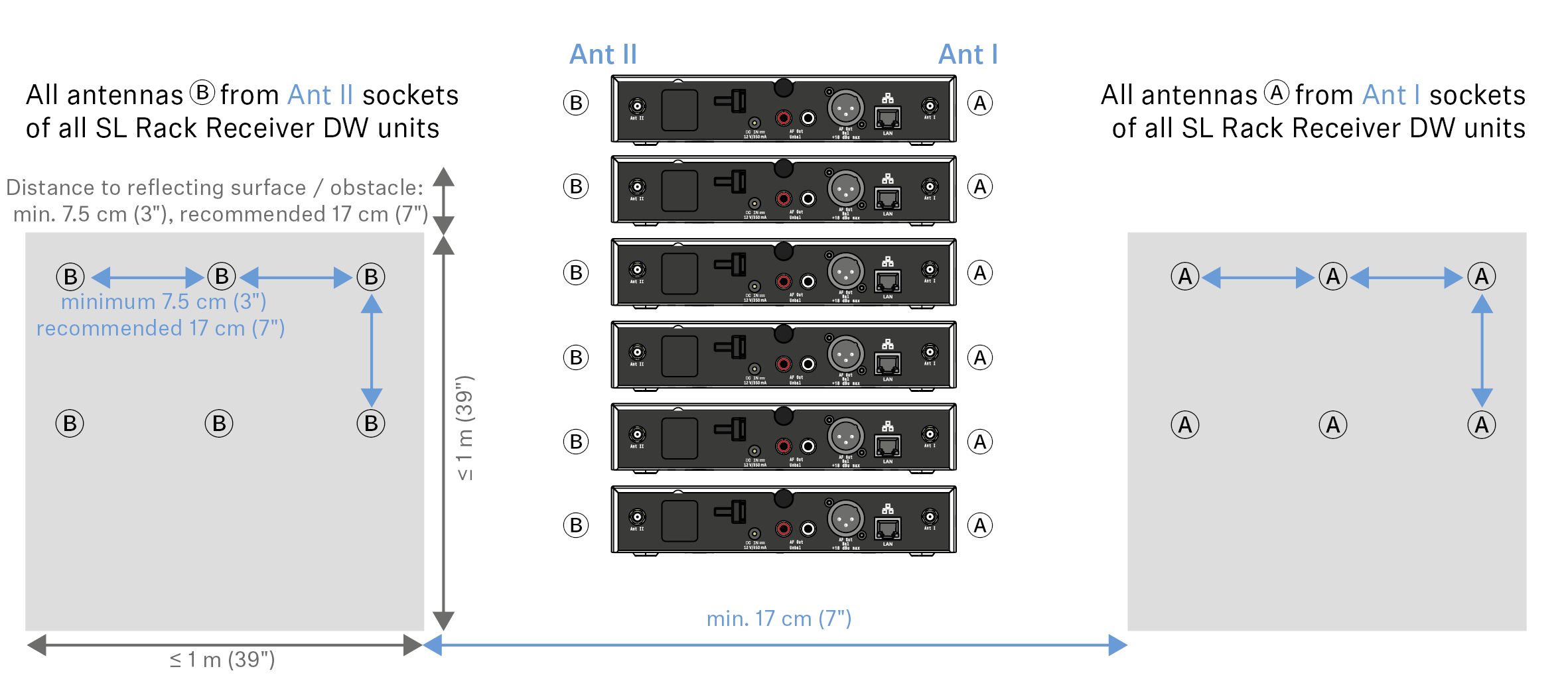
If you are using multiple antenna wall mounts (AWM 2/AWM 4) in one room or if individual installation and mounting of the antennas is desired, please observe the following aspects:
- Position all antennas as close as possible to each other.
- Make sure that the distances between all antennas are all equal and the same as on the back of the receiver or on the AWM 2 antenna wall mount.
If possible, group the antennas as follows:
- All A antenna from the receivers’ ANT I sockets in one group according to the aforementioned requirements
- All B antenna from the receivers’ ANT II sockets in one group according to the aforementioned requirements
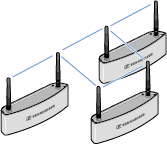
- When using multiple AWM 2/AWM 4 antenna wall mounts, make sure that the distances between all antennas are equal:
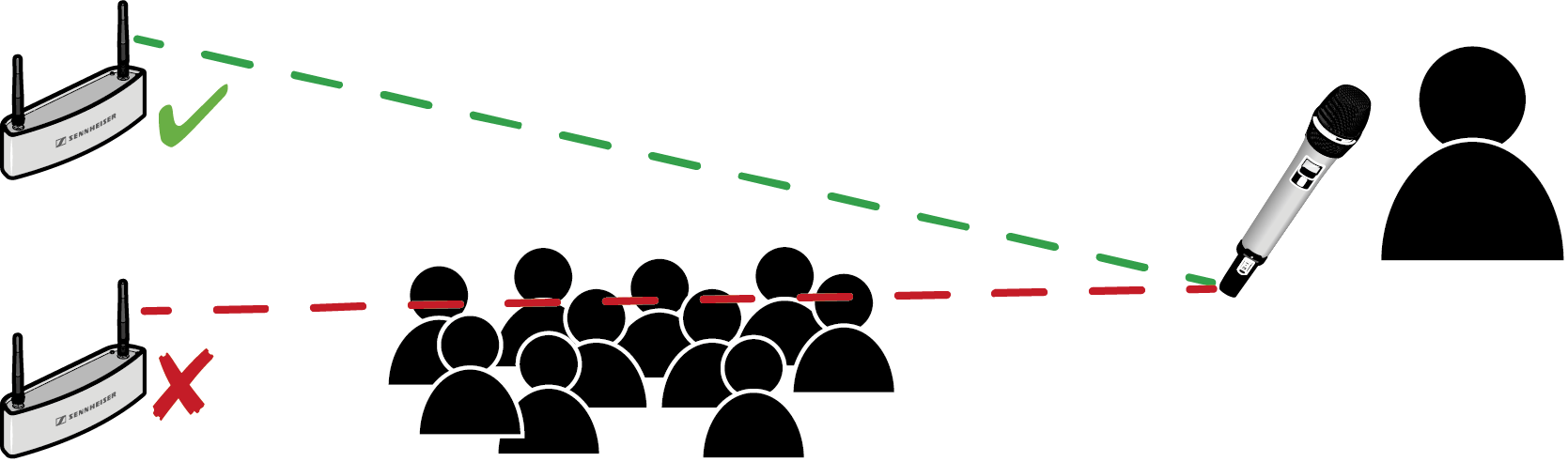
- If possible, position the antennas so that there is a direct line of sight (without obstacles) between the transmitters and the antennas.