
Claiming single device (WebUI)
Instructions for claiming a single device in Spectera WebUI.
To claim your Base Station:
-
Depending on your browser, click on
Advanced and then on:
- Continue to localhost (unsafe) (Microsoft Edge)
- Proceed to localhost (unsafe) (Google Chrome)
- Accept the Risk and Continue (Firefox)
- or similar (other browsers).
The WebUI displays the following options depending on the state of the device:- If the device is in a factory default state and the original password is
still assigned, it will be automatically detected and applied. Next, a
new password has to be set:
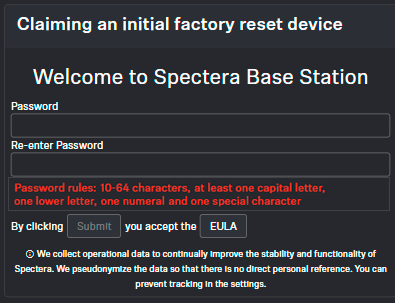
- If the device was previously claimed by another Sennheiser LinkDesk or
Spectera WebUI instance, the previously set password must be entered:
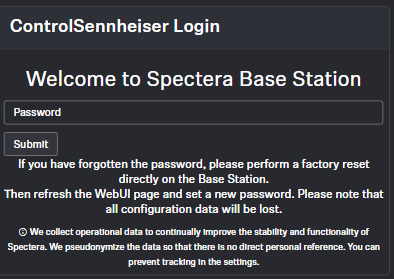
Si vous ne vous souvenez pas du mot de passe précédemment défini, veuillez effectuer une réinitialisation d'usine de l'appareil. Après la réinitialisation, le mot de passe par défaut pour Spectera sera automatiquement appliqué par le logiciel.