
Security information
Local Web UI uses HTTPS, but your browser may show a warning because the device uses a self-signed certificate.
The Local Web UI uses HTTPS to encrypt communication between your computer and the device.
When an HTTPS connection is established, the browser checks the security certificate presented by the website. Local network devices such as Sennheiser AV devices cannot obtain and maintain publicly trusted certificates, so they use a self-signed certificate for encrypted communication. This is common in local network environments where devices provide encrypted web-based management interfaces.
Because the browser cannot verify these certificates automatically, a security warning may appear when you access the Local Web UI. The warning depends on the browser you use.
- Google Chrome:
Your connection is not private
- Microsoft Edge:
Your connection isn't private
- Mozilla Firefox:
Unable to connect
- Safari:
This Connection Is Not Private
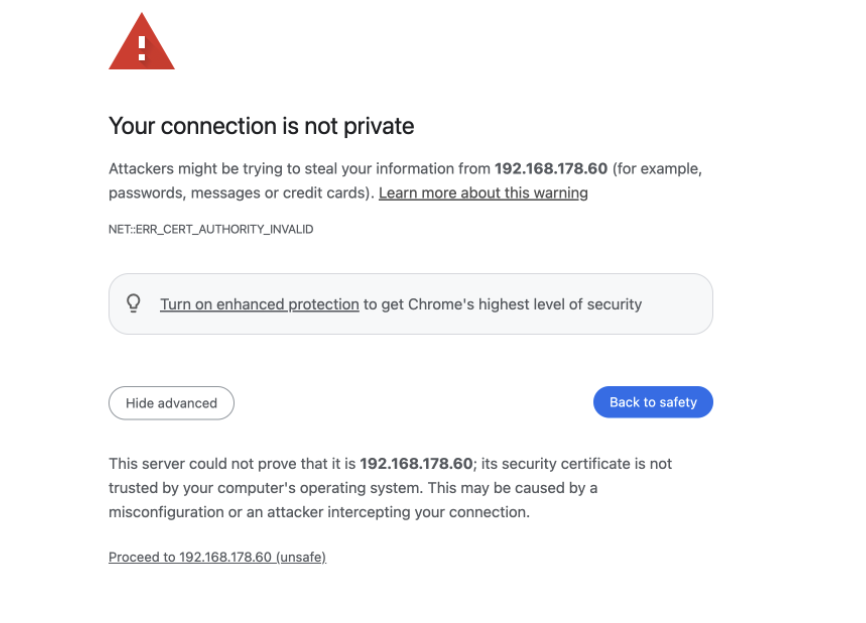
The warning does not mean that communication is unencrypted. Communication between your browser and the Local Web UI is still encrypted using HTTPS, and data transmitted between the browser and the device is protected against passive interception. However, the browser cannot independently confirm that the device is the intended device.
- Click {IP address} (unsafe).
- Click {IP address} (unsafe).
- In the permission dialog displayed by your operating system, click Allow.
- Click {IP address} (Risky).
- Click .
- Confirm the permission dialog displayed by your operating system.