
Activating Dante® protocols
You can enable a digital audio network protocol over Ethernet for routing and synchronization of Dante-compatible devices using the Dante Controller software.
Please note that the audio signal via Dante® is not encrypted by default!
To route additional Sennheiser Audio devices to the TC Bar, the following steps must be performed:
- Activating the Dante® protocol in the Control software,
- Forwarding the audio signals in the Dante Controller.
To activate the Dante® protocol:
-
Activate the slider in the field Dante® protocols.
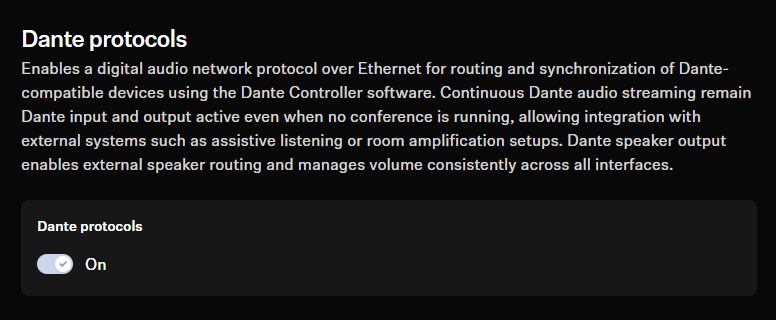
The Dante® protocol was activated.
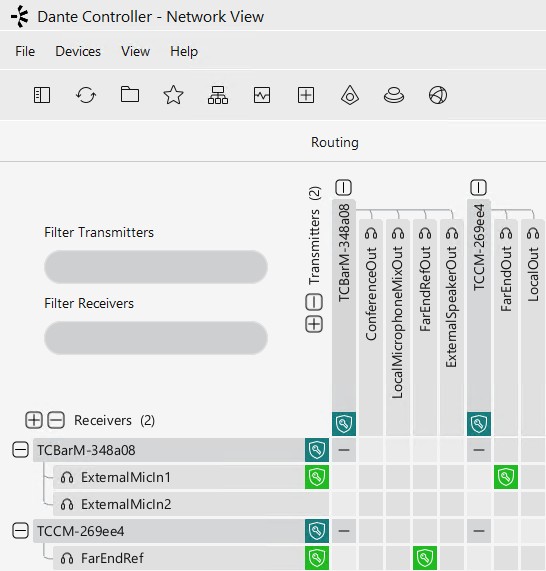
To route TCC M signals to the TC Bar, for example
-
Guide the FarEndRefOut of the TC Bar to the
FarEndRef of the TCC M.
We strongly recommend using the beam freeze function of the TCC M microphone. Our tests have shown that the TC Bar’s echo suppression is far better when the beam freeze function is used.