
Device Settings
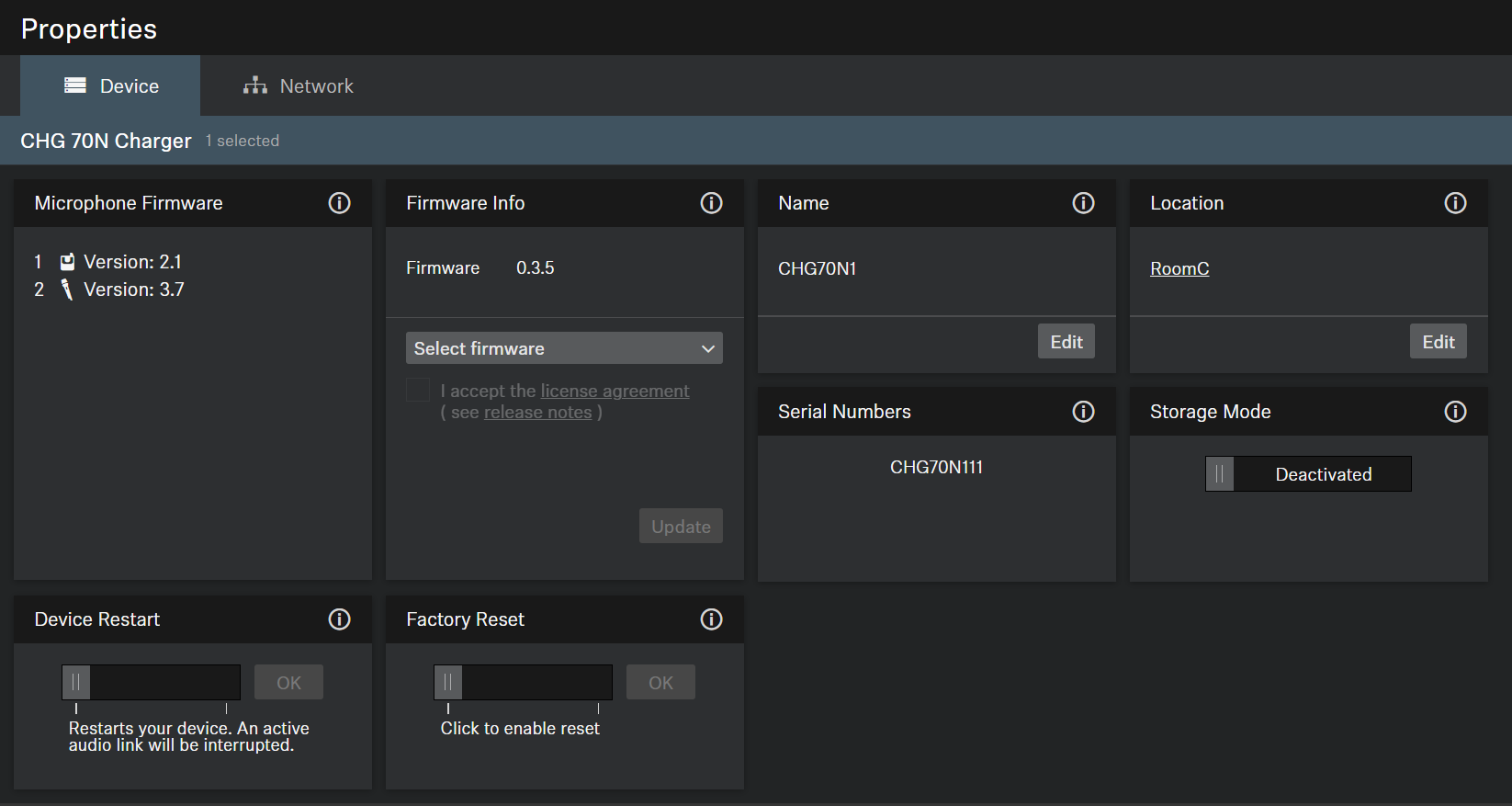
Microphone Firmware
Shows the current firmware of the transmitters in the selected charger.
Firmware Info
Displays the current firmware version.
For information on how to update the firmware, refer to Updating device firmware.
Name
Edits the name of a device. The name will be stored on the device. If you change the name on the device itself, it will be displayed here accordingly.
Location
Sets the location of the selected device.
The field is limited to 255 bytes length including any UTF-8 characters.
Display Brightness
Slider for adjusting the display brightness of the selected receiver.
Auto Lock
- Mic On: Sets the color of the LEDs when the microphone array is active.
- Mic Mute: Sets the color of the LEDs when the microphone array is muted.
- Custom: Sets the color of the LEDs for a status which can be customized via a media control system using the Sennheiser Sound Control Protocol.
Serial Number
Displays the serial number.
Device Restart
Restarts the selected device.
Factory Reset
All settings of the selected device are reset to the factory defaults.
Storage Mode
The storage mode prevents the batteries from being constantly charged to 100%. This extends the battery life of products that are stored in the charging bay for a longer period of time.