
Connecting to a network
Connect the Base Station to a network for monitoring and controlling.
To connect the Base Station to a network:
-
Plug one side of the network cable into the Control socket.
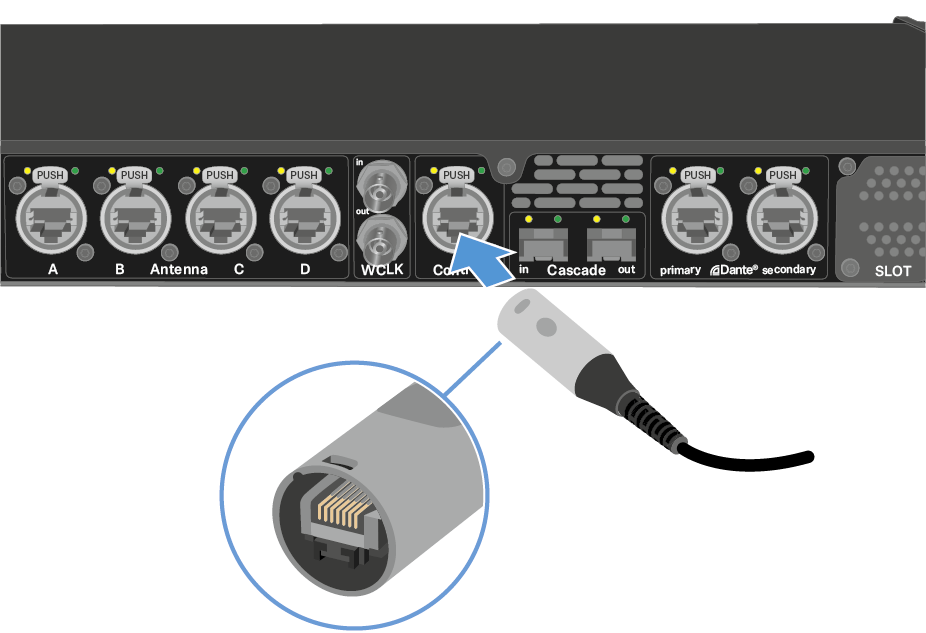
-
Plug the other side of the network cable to a switch, router or directly to a computer.
See Activating a license (general).NOTICE
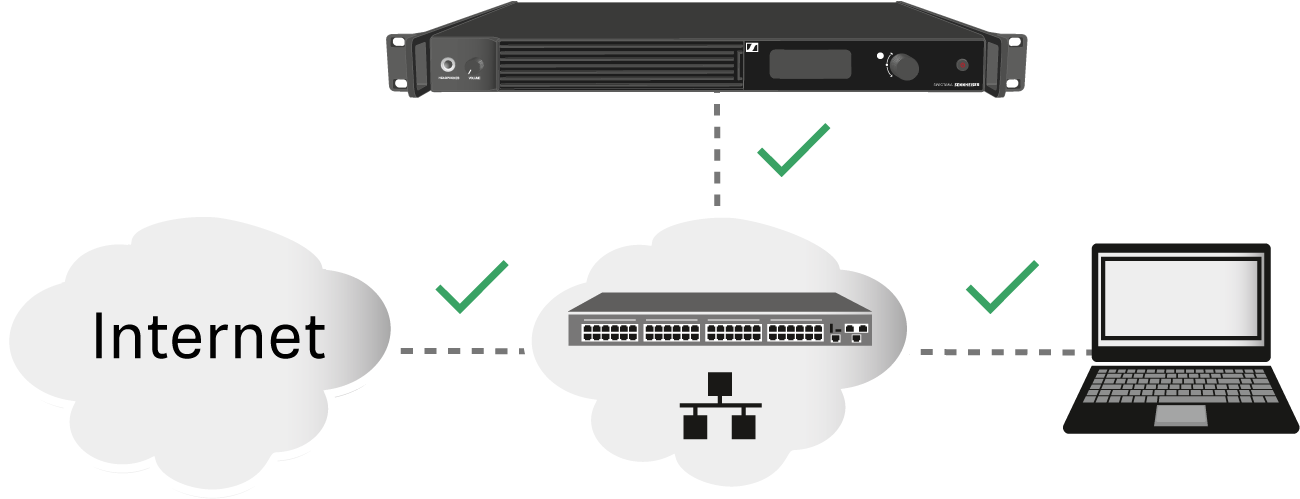
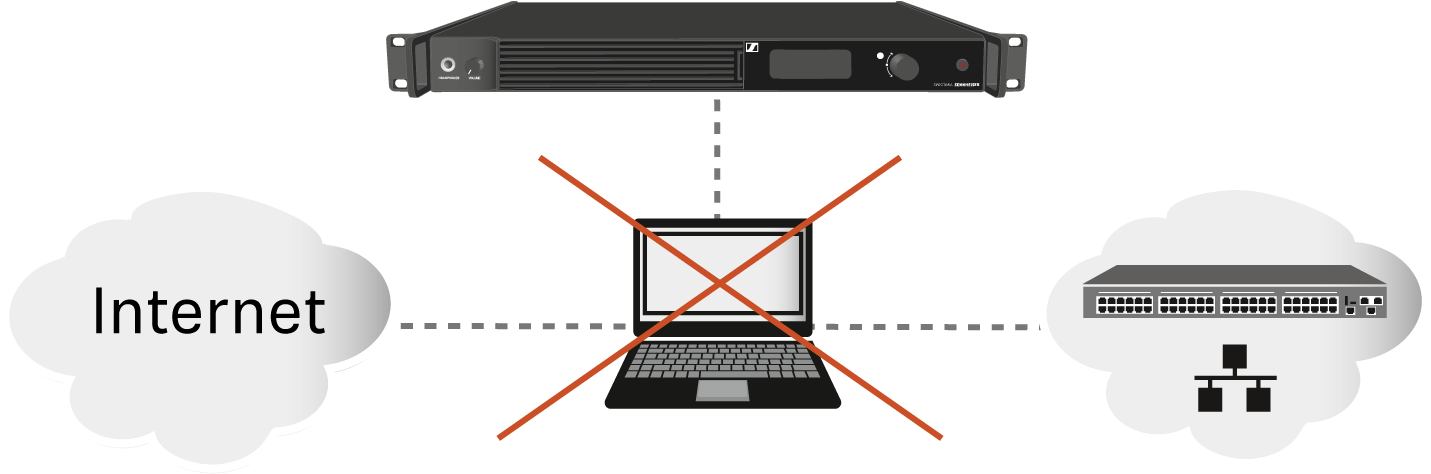
You can monitor and control the Base Station via a network connection using Spectera WebUI.
To start the Spectera WebUI, enter the following URL into your browser: https://deviceIP.
The device IP can be found here: Network.