Operation
Positioning the microphone in a drum
-
It is vital to observe the following notes:
- Position A: Position the microphone at the bottom of the kick drum, approx. 10 - 20 cm from the batter head.
- Resulting sound: Much resonance; much attack; less attack: Turn the microphone away from where the beater strikes.
- Position B: Combined with an e 902 positioned at the resonant head. The lower micro-phone must be phase-reversed to avoid phase-cancellation effects due to the second microphone being on the other side of the drumskin.
- Resulting sound: The e 901 is used for picking up the attack, the e 902 for picking up the fundamental.
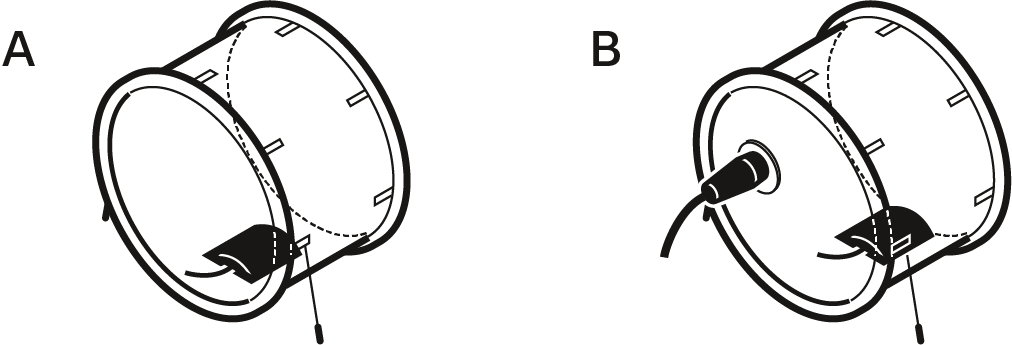
- Position A: Position the microphone at the bottom of the kick drum, approx. 10 - 20 cm from the batter head.
Positioning the microphone on sound-reflecting surfaces
-
It is vital to observe the following notes:
- Position C: Lying on the altar or lectern. Unobtrusive due to flat design. No microphones in the field of vision.
- Resulting sound: Less room resonance portions or comb filter elements; improved speech intelligibility; greater gain reserves in contrast to free-standing microphones
- Position D: Lying on the conference table, directed towards the conference participants. Microphone must not be covered by papers, folders or similar objects.
- Resulting sound: Less room resonance in contrast to free-standing microphones
- Position E: Lying at the edge of the stage and directed towards the
stage. As spot microphone of the PA system or for monitoring purposes in
the theater cloakrooms. Excellent rejection of rumble noise; if
necessary, place the microphone on a soft pad (e.g. mousepad). If
necessary, combine with overhead microphones (e.g. Sennheiser ME 36 with
MZH 30 B & MZC 30).
- Resulting sound: Less room resonance in contrast to free-standing microphones; improved speech intelligibility
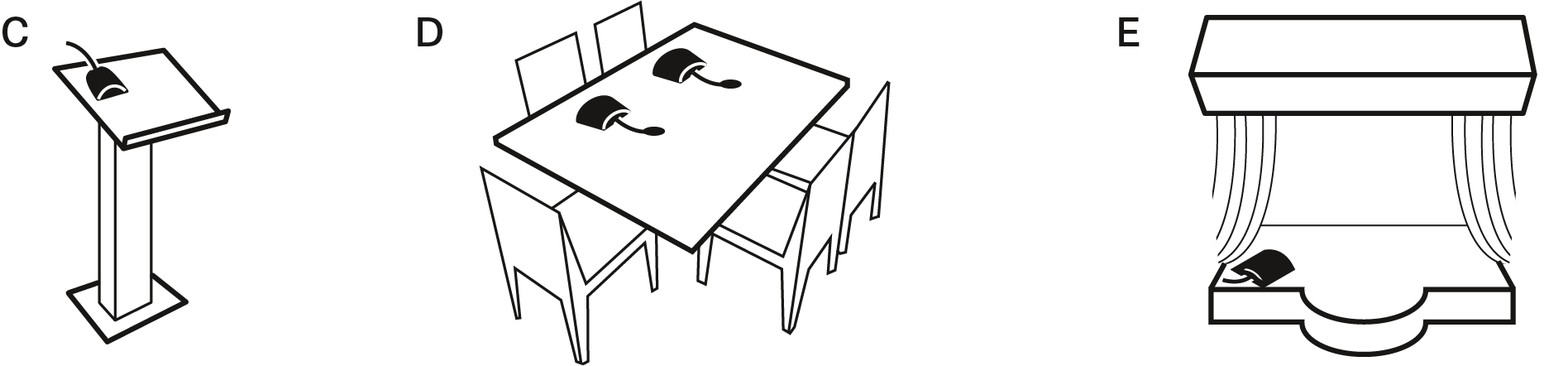
- Position C: Lying on the altar or lectern. Unobtrusive due to flat design. No microphones in the field of vision.
Positioning the monitor loudspeakers
-
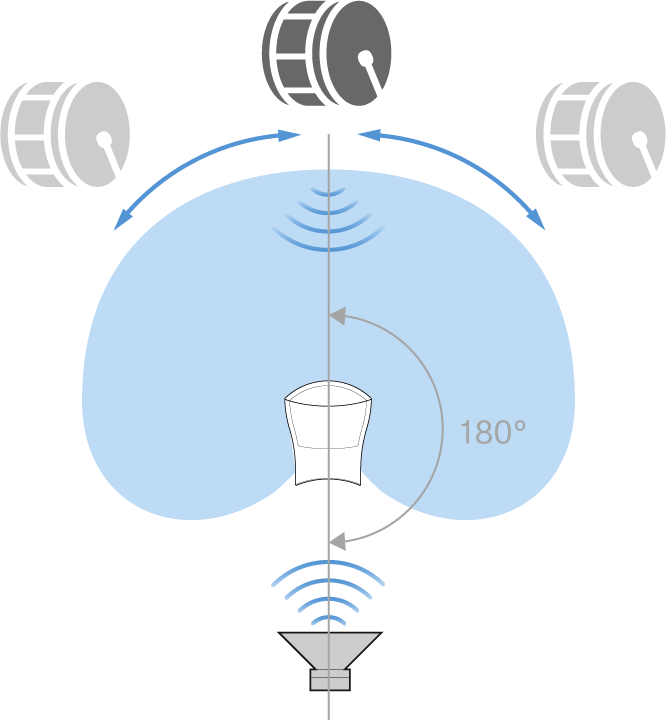
To prevent feedback and crosstalk, postion your monitor loudspeakers in the angle area of the highest cancellation of the microphone (approx. 180°).