Jump to main content
Control Cockpit
Control Cockpit
3rd Party API AVX Control Cockpit Digital 6000 Evolution Wireless Digital Profile Wireless Spectera Solution SpeechLine Digital Wireless TeamConnect Bar TeamConnect Ceiling Medium TeamConnect Ceiling 2 Wireless System Manager ...alle anzeigen
  • Release Notes
  • Product Information
  • Getting Started
  • User Manual
  • Knowledge Base
  • Contact
  1. Home
  2. User Manual

    Detailed description of software setup, navigation and configuration of connected Sennheiser devices.

  3. Monitoring and controlling devices

  4. Evolution wireless G4/G3 stationary receivers
  • User Manual

    Detailed description of software setup, navigation and configuration of connected Sennheiser devices.

    • Structure and navigation

      The following features of the software will be displayed constantly: navigation bar, application bar and main views.

    • Adding devices

      Devices can be added automatically via mDNS or manually.

    • System preferences and settings

      In the Settings menu you can set password protection, activate the demo mode and define the notifications the Control Cockpit will send you.

    • Updating device firmware

      When the PC running the Sennheiser Control Cockpit software is connected to the Internet, the most recent firmware versions for all update-able devices is automatically made available.

    • Claiming devices

      This feature was introduced to bind the device to a specific Control Cockpit installation, preventing any unauthenticated device control within the network.

    • Using the filter

      You can filter the displayed devices according to the following criteria.

    • Monitoring and controlling devices

      • EW-DX EM rack receiver

        The following settings can be adjusted for wireless links with the EW-DX EM 2, EW-DX EM 2 Dante and EW-DX EM 4 Dante.

      • CHG 70N(S)-C network-enabled charger

        The CHG 70N(S)-C network-enabled charger offers three settings.

      • SL DW: SL Rack Receiver DW

        The following settings can be adjusted for wireless links with the SL Rack Receiver DW.

      • SL DW: Multi-channel receiver

        The following settings can be adjusted for wireless links with the Multi-Channel Receiver.

      • CHG 4N / CHG 2N charger

        The following settings can be adjusted for the CHG 4N network-enabled charger and for the CHG 2N - 2 bay network charger.

      • TeamConnect Bar

        The following settings can be adjusted for the TeamConnect Bar S and M.

      • TeamConnect Ceiling 2

        The following settings can be adjusted for the TeamConnect Ceiling 2 ceiling microphone array.

      • TeamConnect Ceiling Medium

      • Evolution wireless G4/G3 stationary receivers
        • Audio Settings

          The following settings can be adjusted for wireless links with the receivers and transmitters of the evolution wireless G4 and G3 series.

        • Device Settings

          The following settings can be adjusted for wireless links with the receivers and transmitters of the evolution wireless G4 and G3 series.

        • Network Settings

          The following settings can be adjusted for wireless links with the receivers and transmitters of the evolution wireless G4 and G3 series.

        • RF Settings

          The following settings can be adjusted for wireless links with the receivers and transmitters of the evolution wireless G4 and G3 series.

      • Evolution wireless G4: stationary in-ear monitoring transmitters
      • EM 6000 digital 2-channel receiver

      • MobileConnect Manager

        Sennheiser MobileConnect is an assistive listening solution that allows you to stream audio content via WiFi live and in superior quality to any mobile device.

Evolution wireless G4/G3 stationary receivers
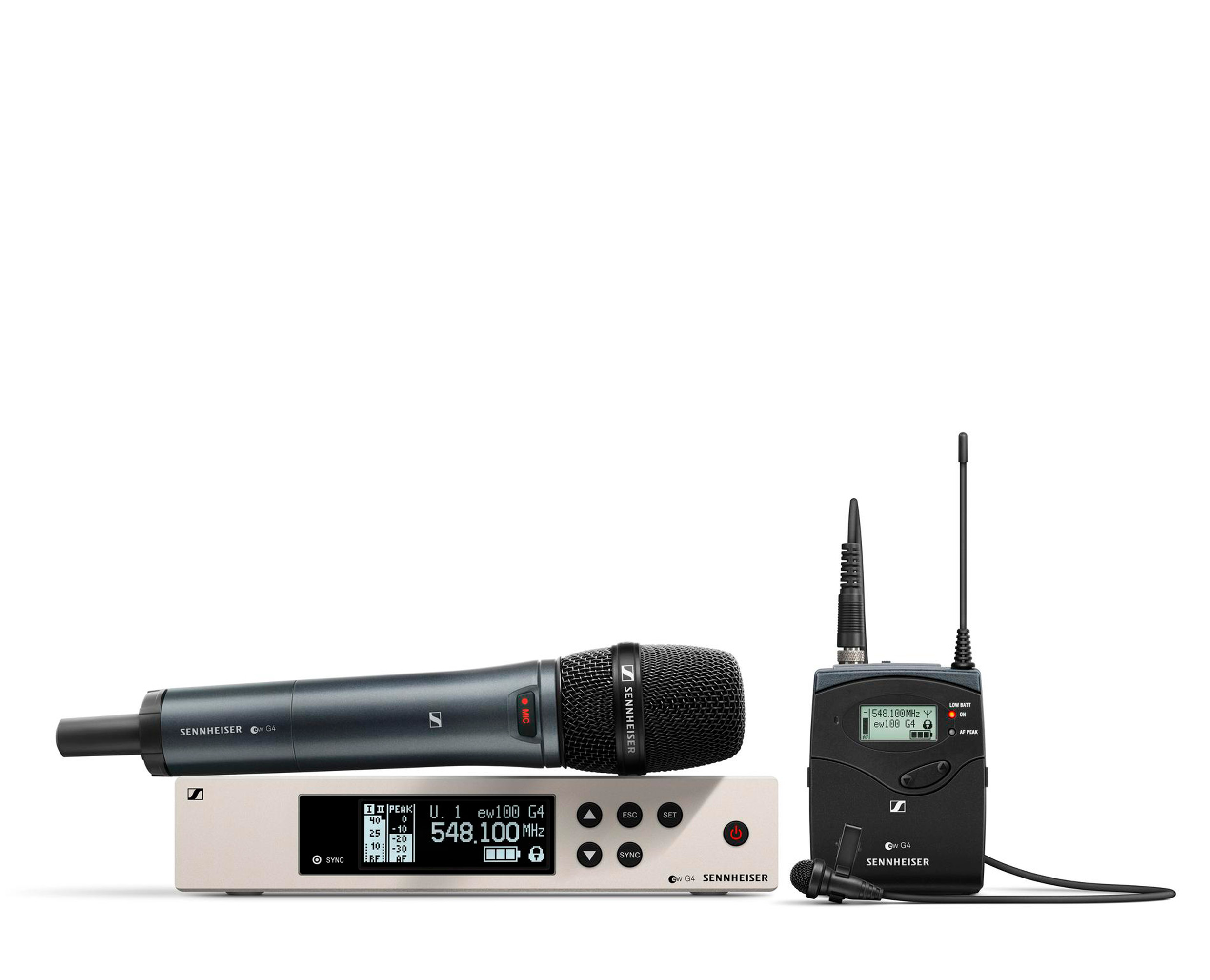


evolution wireless 300-500 G4
evolution wireless G3 → ↴
EM 300 G3 EM 300 G3
SK 300 G3 SK 300 G3
300 IEM G3 300 IEM G3
EM 500 G3 EM 500 G3
SK 500 G3 SK 500 G3
SKM 500 G3 SKM 500 G3
Related information
  • Audio Settings
    The following settings can be adjusted for wireless links with the receivers and transmitters of the evolution wireless G4 and G3 series.
  • Device Settings
    The following settings can be adjusted for wireless links with the receivers and transmitters of the evolution wireless G4 and G3 series.
  • Network Settings
    The following settings can be adjusted for wireless links with the receivers and transmitters of the evolution wireless G4 and G3 series.
  • RF Settings
    The following settings can be adjusted for wireless links with the receivers and transmitters of the evolution wireless G4 and G3 series.
v9.2 | 04/2026
English Deutsch Français Español 简体中
© Sennheiser electronic SE & Co. KG | |
Wählen Sie hier Ihre Sprache aus