
Switching the SEK on and off
To switch the SEK on:
-
Short-press the ON/OFF button.
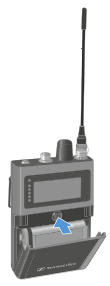
The SEK is starting. The status LED is orange.
To put the SEK in pairing mode:
To switch the SEK off:
Sleep mode
The SEK switches to sleep mode after 5 minutes if it cannot establish a connection to the Base Station. The LED then pulses green.
Once per minute, the SEK wakes up automatically and checks whether a connection to the Base Station can be established.
Operating the jog dial wakes the SEK up immediately and it attempts to establish a connection.
In doing so, the SEK searches for a connection for 10 seconds.
If a connection is established, the SEK remains active; otherwise, it switches back to sleep mode.